

Stuck Order Alerts Settings
The Stuck Order Alerts tab catches orders that stopped moving, before the customer has to ask. Open DevDiggers Plugins → Order Progress Bar → Configuration → Stuck Order Alerts.
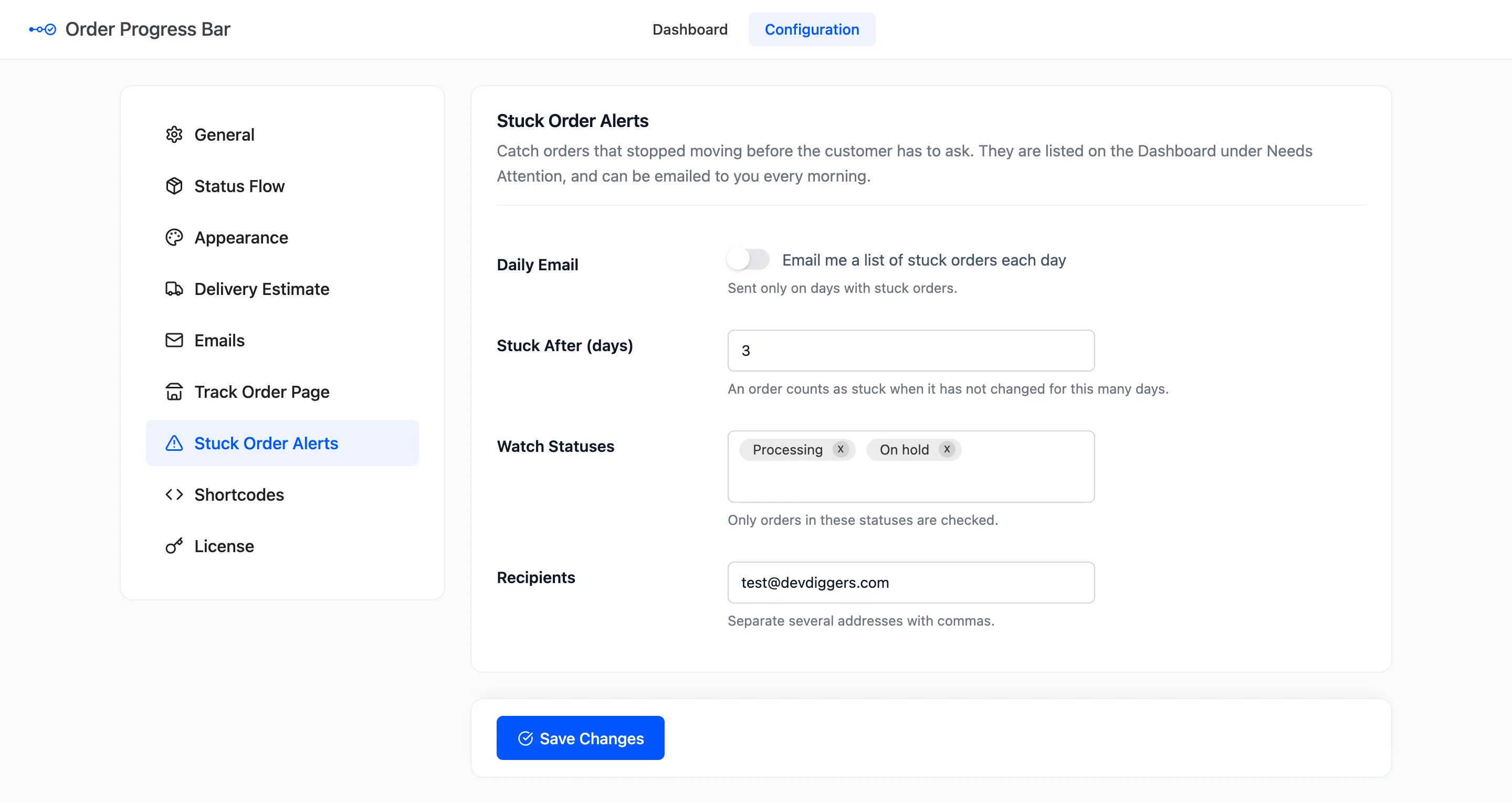
The fields
Section titled “The fields”- Daily Email: “Email me a list of stuck orders each day”. Off by default. It is sent only on days with stuck orders.
- Stuck After (days): An order counts as stuck when its status has not changed for this many days. Default 3.
- Watch Statuses: Only orders in these statuses are checked. Default Processing and On hold.
- Recipients: Who gets the email. Default the site’s admin email. Separate several addresses with commas.
When it runs
Section titled “When it runs”The check runs once a day, at 8:00 in your site’s time zone. It lists up to 50 orders, the longest waiting first, each with its status and how long it has waited, linked to the order.
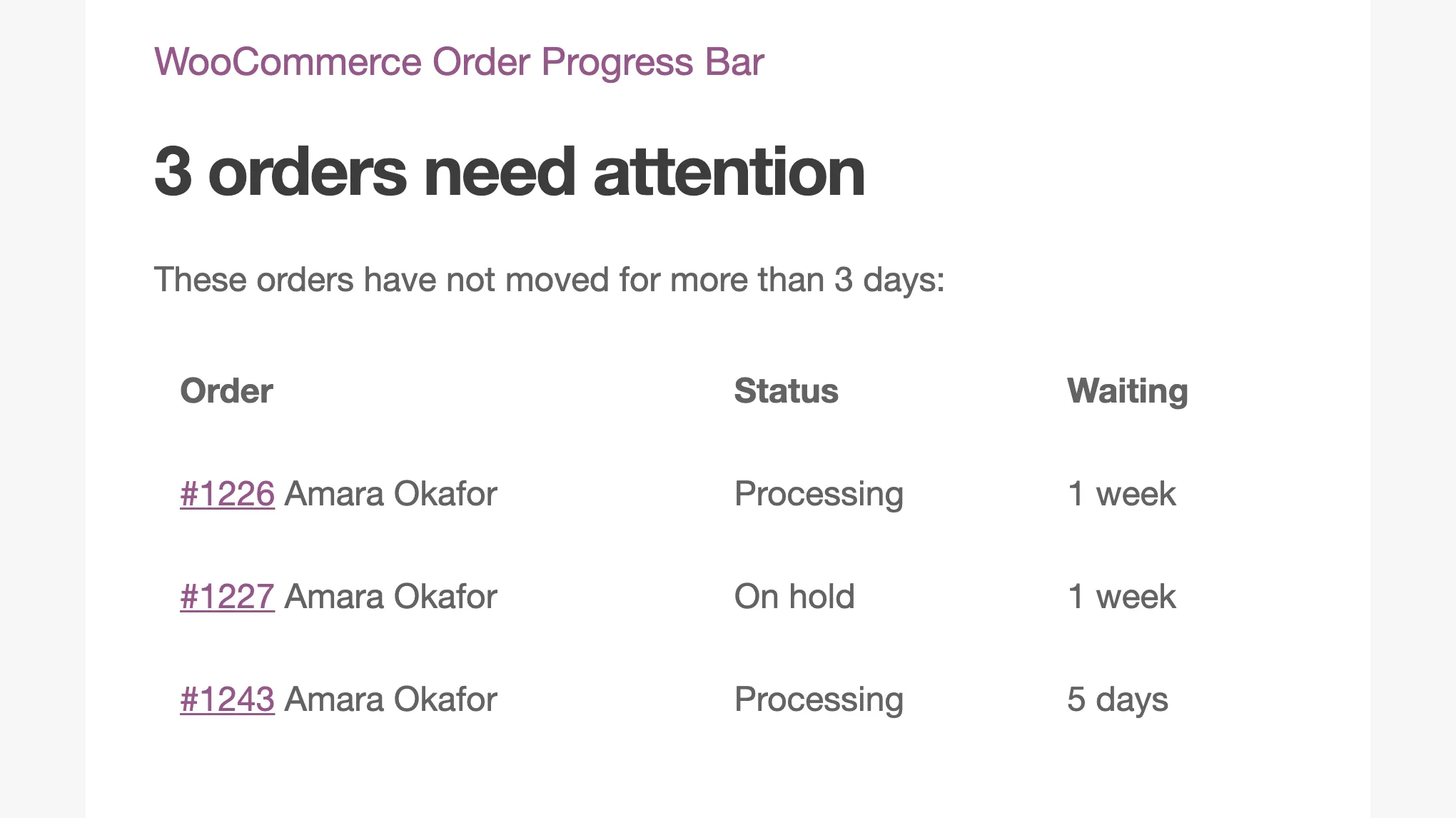
The same orders, up to six, are listed on the dashboard under Needs Attention. That list works whether the email is on or off.
What counts as moving
Section titled “What counts as moving”Only a status change resets the clock. Adding a note, editing the order or saving a delivery date does not. An order you looked at but did not move stays on the list.
Orders from before the plugin was installed have no recorded status change. For them, the clock starts at the order’s last change.
The daily task runs on WP-Cron. On a quiet site, it runs with the first visit after 8:00. To be sure it runs on time, set up a real cron job for WordPress.
Click Save Changes at the bottom of the tab.