

Track Order Page Settings
The Track Order Page tab names the page that guests’ email buttons lead to. Open DevDiggers Plugins → Order Progress Bar → Configuration → Track Order Page.
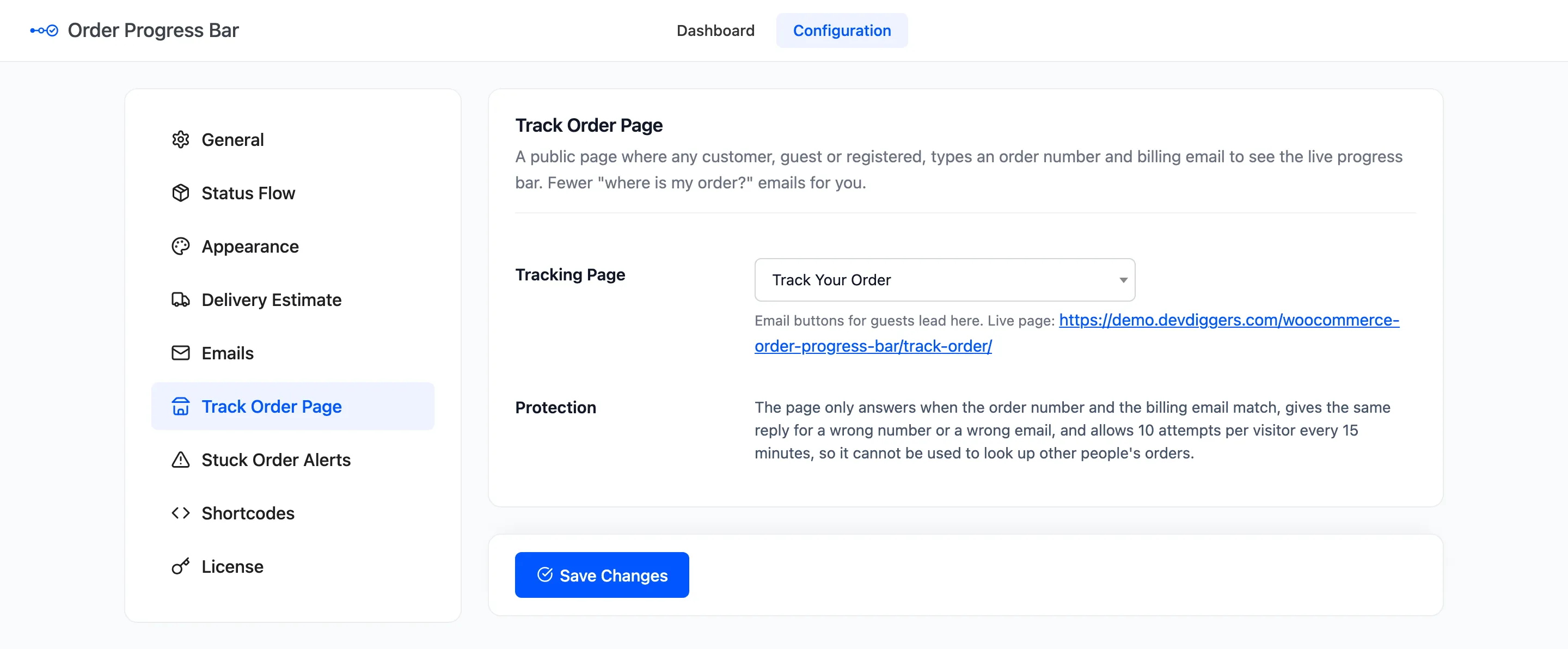
Tracking Page
Section titled “Tracking Page”The page that holds the tracking form. Activation creates one for you, Track Your Order at
/track-order/, with the [ddwcopb_track_order] shortcode in it. The field shows its live address.
Pick another page if you built your own. It must hold the [ddwcopb_track_order] shortcode or the Track
Order block. Picking a page does not add the form to it.
Choose No tracking page and email buttons are left out for guests. Registered customers still get theirs, because it leads to My Account.
Protection
Section titled “Protection”The page is public, so it is built to give nothing away:
- It answers only when the order number and the billing email match.
- A wrong number and a wrong email get the same reply: “We could not find an order with those details”.
- It allows 10 attempts per visitor every 15 minutes, and 10 per email address. Then it asks the visitor to wait a few minutes.
- Only the order number travels in the email link. The customer always types the email themselves.
The form has no security token, so it keeps working on a cached page.
What a lookup shows
Section titled “What a lookup shows”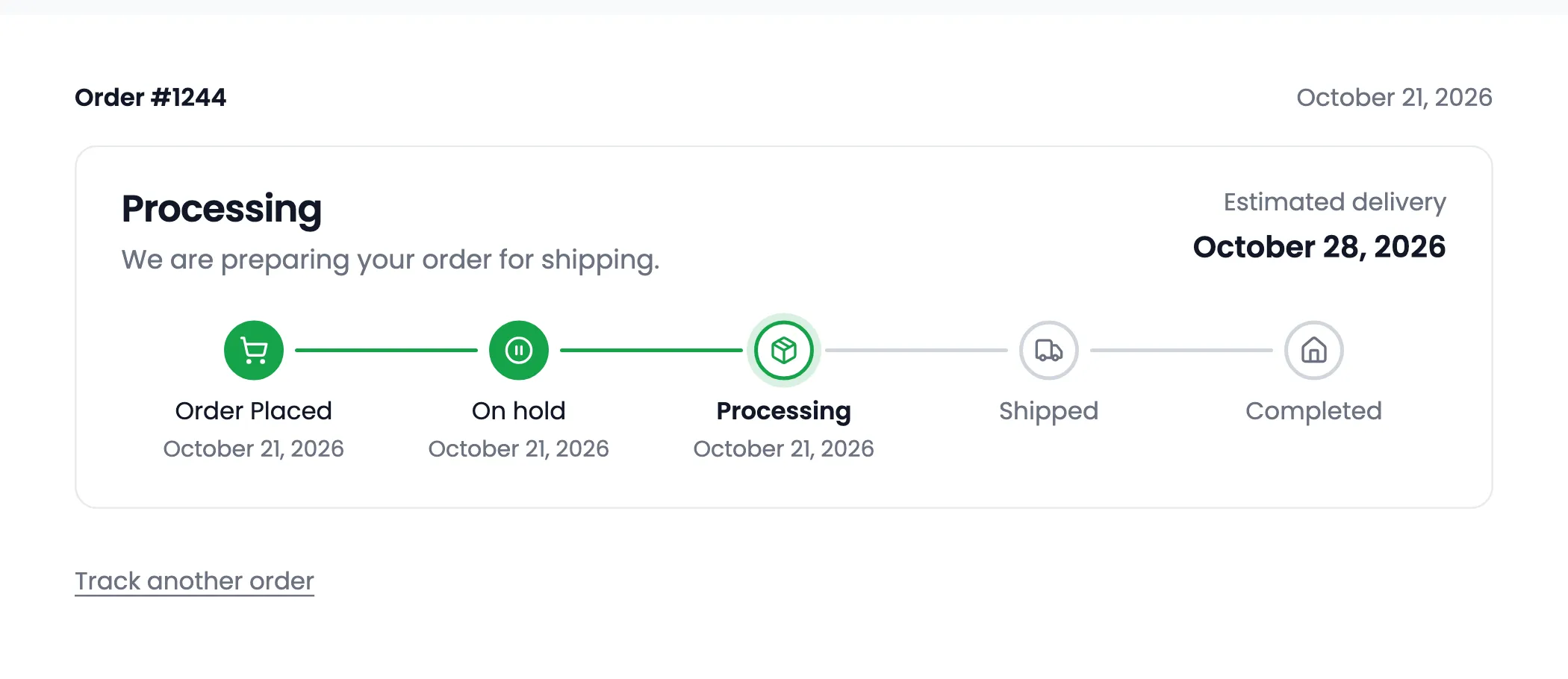
The result shows the order number, its date and the bar, without the bar’s title. An order outside the flow shows “Current status” and the status name instead. Each successful lookup is counted on the dashboard under Tracking Lookups.
Behind a CDN or proxy
Section titled “Behind a CDN or proxy”The attempt limit counts visitors by the address the server sees. Behind a CDN or a load balancer, that can be the same address for everyone, so 10 attempts would be shared by the whole store.
A developer can map the real visitor address with the ddwcopb_track_visitor_ip filter. The plugin does
not read forwarded headers itself, because a visitor can fake them.
add_filter( 'ddwcopb_track_visitor_ip', function ( $ip ) { return $_SERVER['HTTP_CF_CONNECTING_IP'] ?? $ip; // Cloudflare's header.} );Order numbers from a sequential order number plugin work, as long as it uses WooCommerce’s own order tracking filter.
Click Save Changes at the bottom of the tab.