

What a Switch Keeps in the Cart
A switch replaces one option with another on the same line. Everything else about the line stays as it was. Each case on this page was performed on the demo store.
The quantity stays
Section titled “The quantity stays”A line of three Black M tees switched to Black XL stays a line of three. The popup shows the difference per item, as +$4.00 each, so the cart goes up by $12.00.
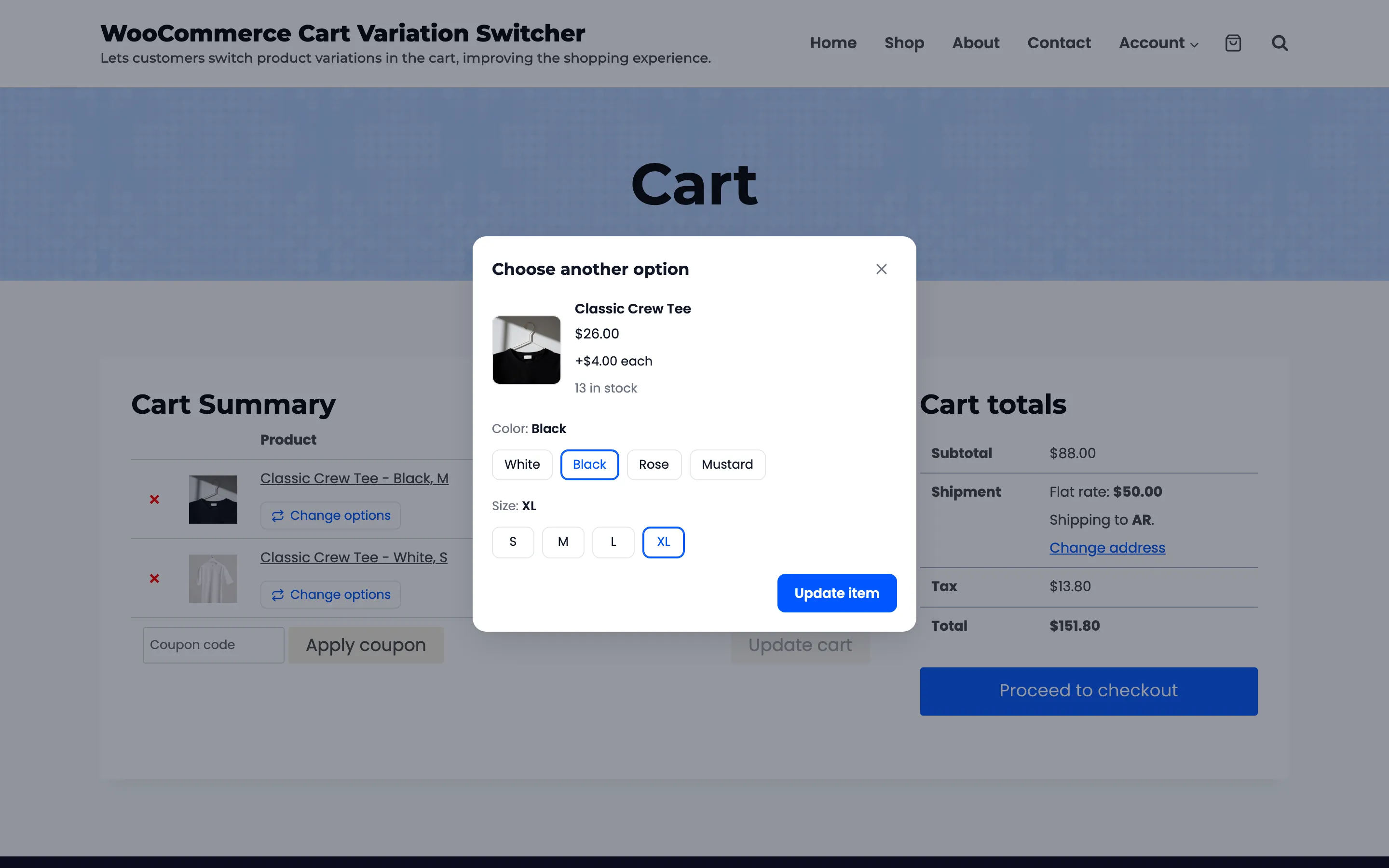
The line also keeps its place in the cart, so a long cart does not reshuffle.
Other plugins’ data stays
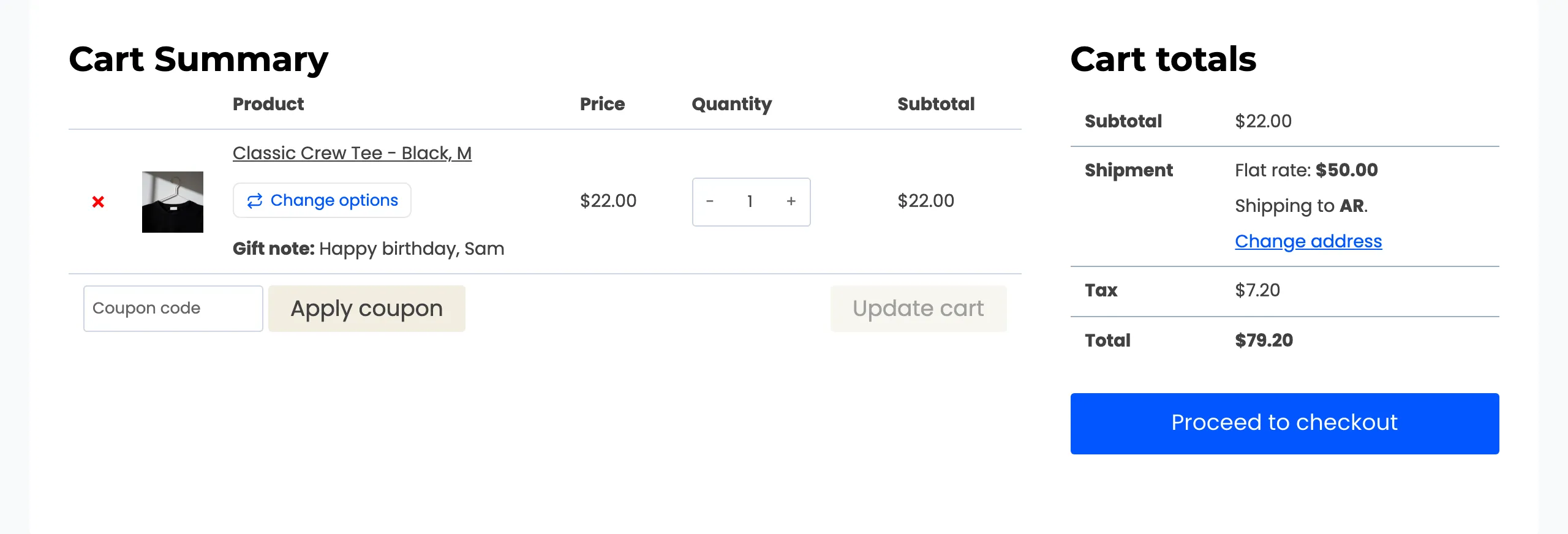
Section titled “Other plugins’ data stays”Product add-ons, gift notes, engraving text and the like are saved on the cart line by their own plugins. They move to the new option with it. On the demo, a tee carried a gift note.
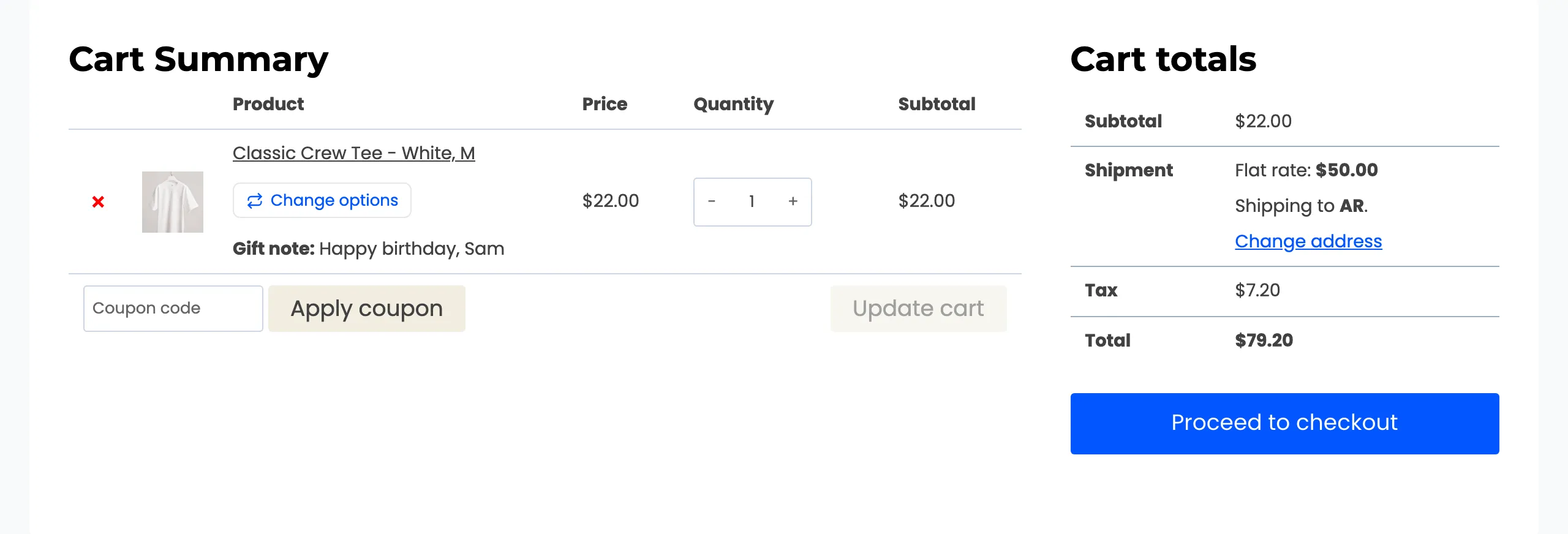
After a switch to Black M, the note is still there.
Matching lines join
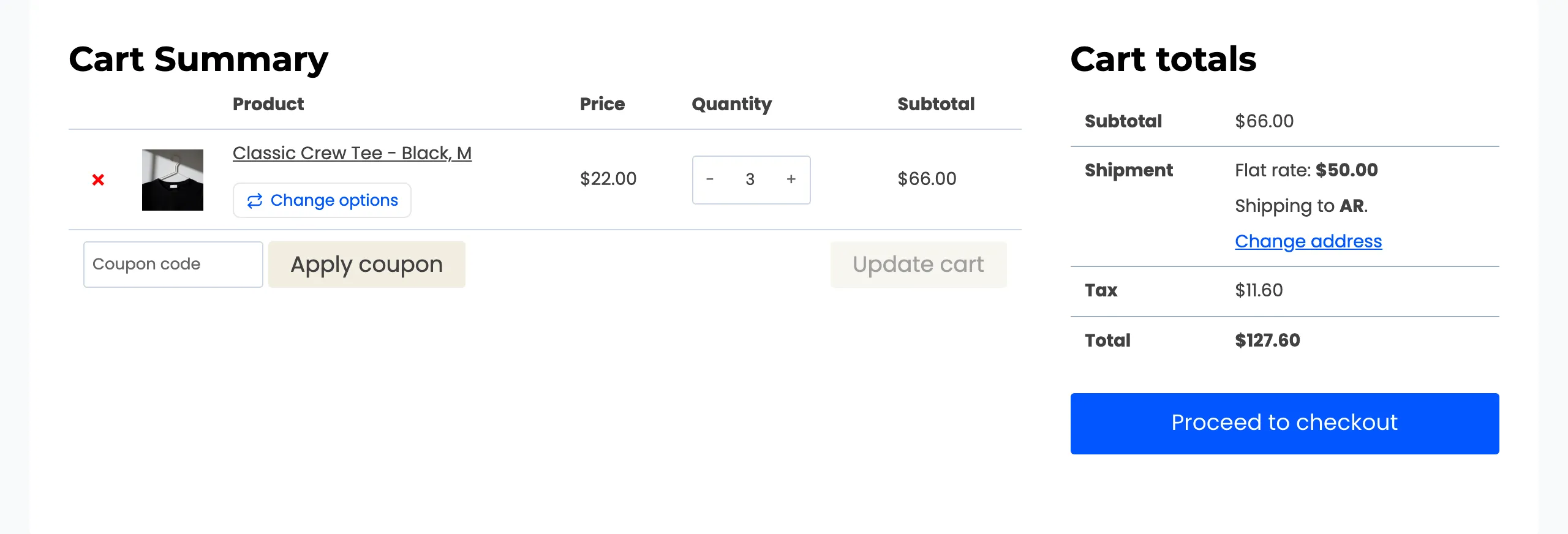
Section titled “Matching lines join”If the cart already has a line with the chosen option, and the same add-on data, the two lines join into one. The demo cart held two Black M tees and one White M tee.
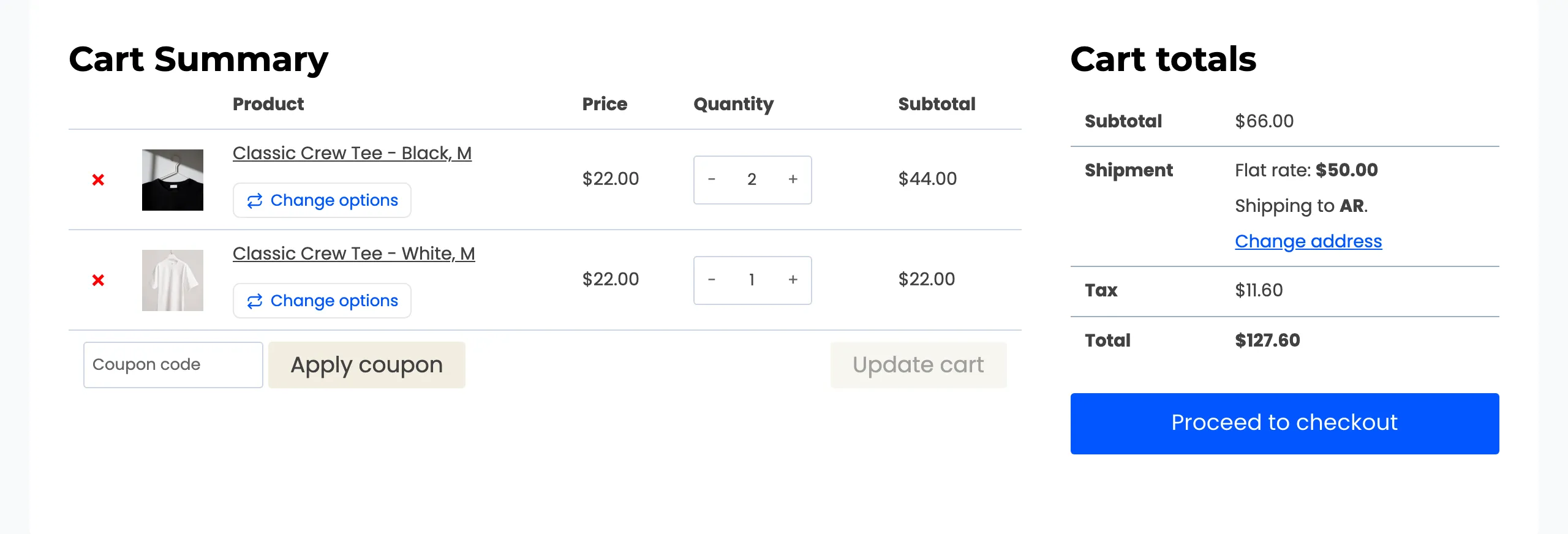
The White M tee’s switcher was opened and Black picked. The popup does not warn about the join, because nothing is lost by it.
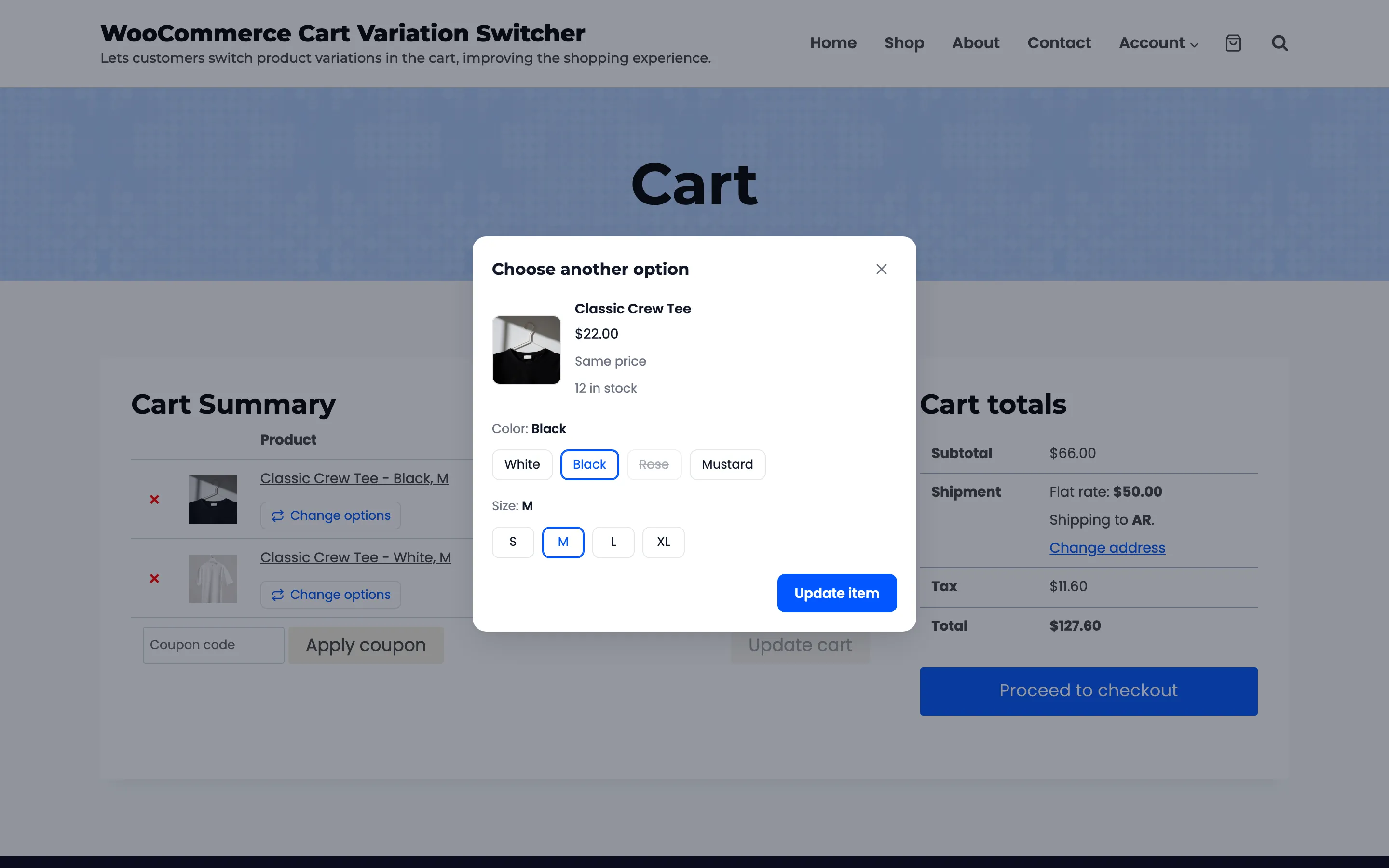
Pressing Update item left one line of three.
Limits are checked first
Section titled “Limits are checked first”A switch that the store cannot honour is refused, with the reason, and the cart stays as it was:
- Stock: “Sorry, only 3 of this option are in stock.” The check counts the line’s quantity plus the same option in any other line.
- Sold one per order: “This option can only be bought once per order and is already in your cart.”
- A combination that does not exist: It cannot be picked. Its button is crossed out.
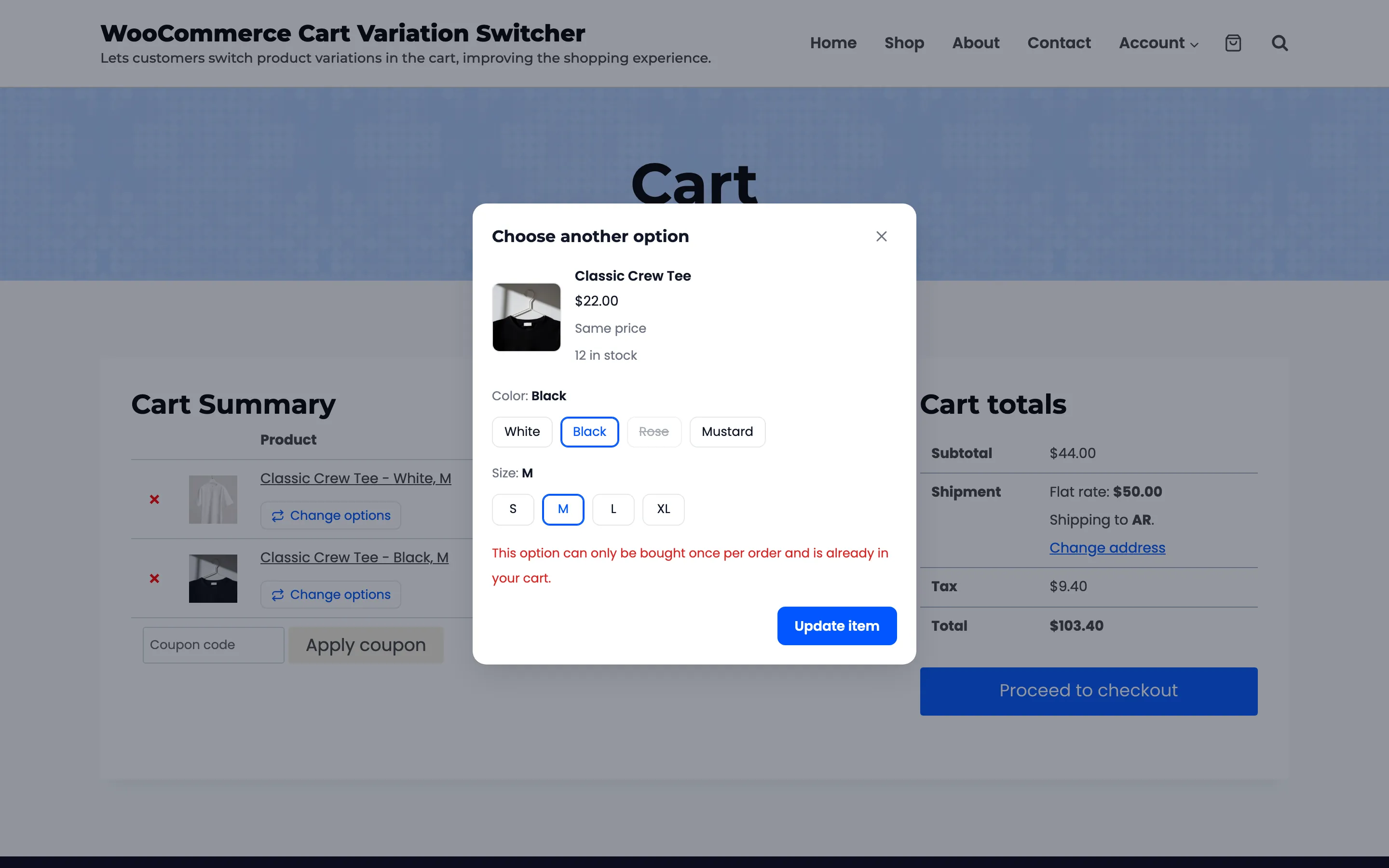
For the sold one per order case, the tee had Sold individually ticked for the test. White M and Black M were in the cart, and one was switched onto the other.
Also worth knowing
Section titled “Also worth knowing”- The totals, shipping and tax are worked out again.
- The shopper’s checkout details stay filled in. On the demo, a name and email typed at checkout were still there after a switch from the order summary.