

Cart Variation Switcher Dashboard
The dashboard shows what shoppers do with the switcher: how often they open it, how often they switch, and what the switches do to cart value. Open DevDiggers Plugins → Cart Variation Switcher → Dashboard.
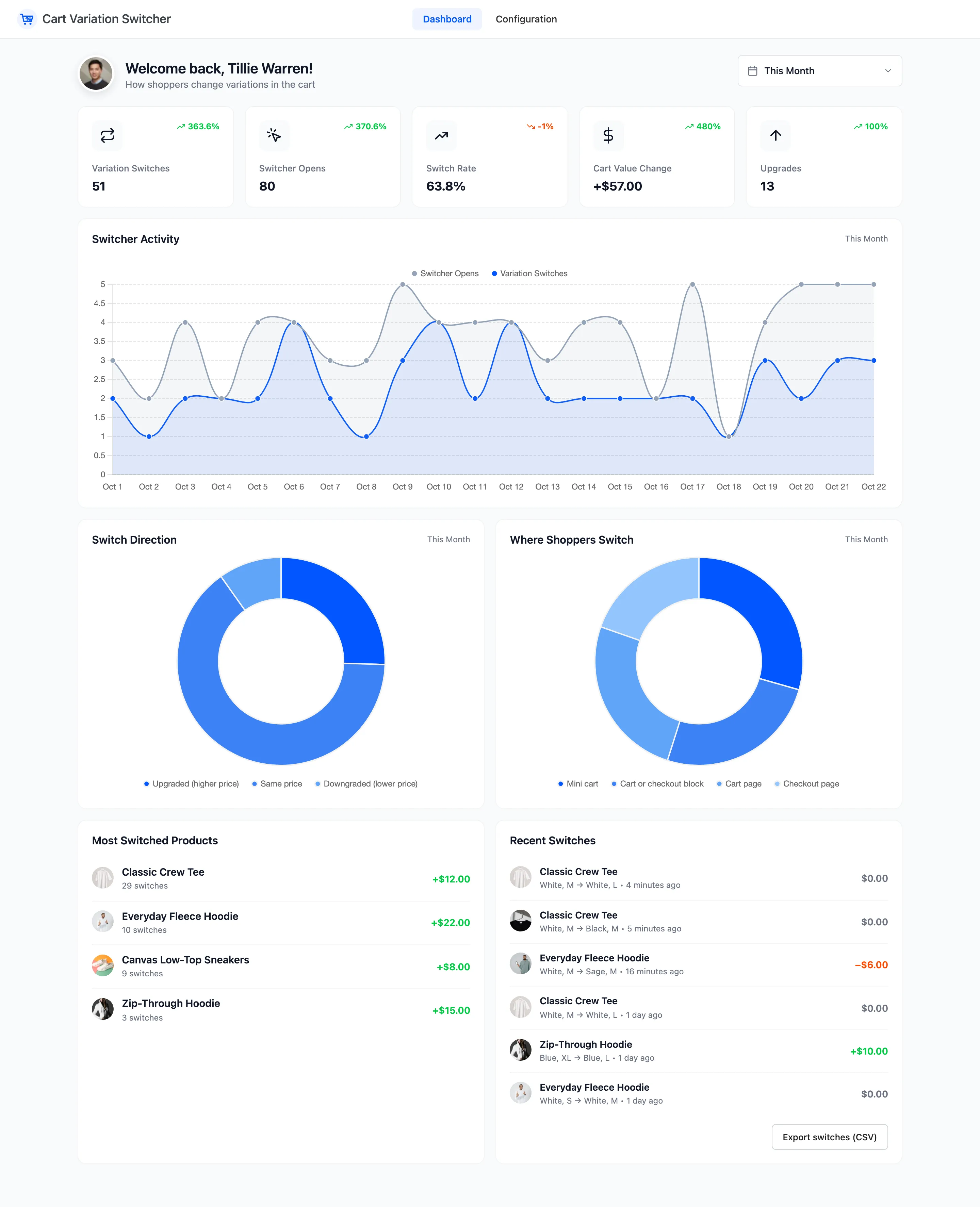
The numbers on these pages are the demo’s: a month of shoppers switching from the cart, the checkout, the mini cart and the Cart block.
The date range
Section titled “The date range”The picker at the top right sets the period for everything on the screen. It starts on This Month. Pick a preset, such as Last Month, or a custom range. Each card compares the period with the same number of days just before it.
The summary cards
Section titled “The summary cards”
- Variation Switches: Switches made in the period. 51 on the demo.
- Switcher Opens: Times a shopper opened the switcher. 80.
- Switch Rate: Switches as a share of opens. 63.8%. The arrow shows the change in points.
- Cart Value Change: The price differences of every switch, added up, times the quantity. +$57.00 means shoppers moved to dearer options overall.
- Upgrades: Switches to a higher price. 13.
A low switch rate with many opens means shoppers look and do not find what they want. Check the stock of the options they open most.
Switcher Activity
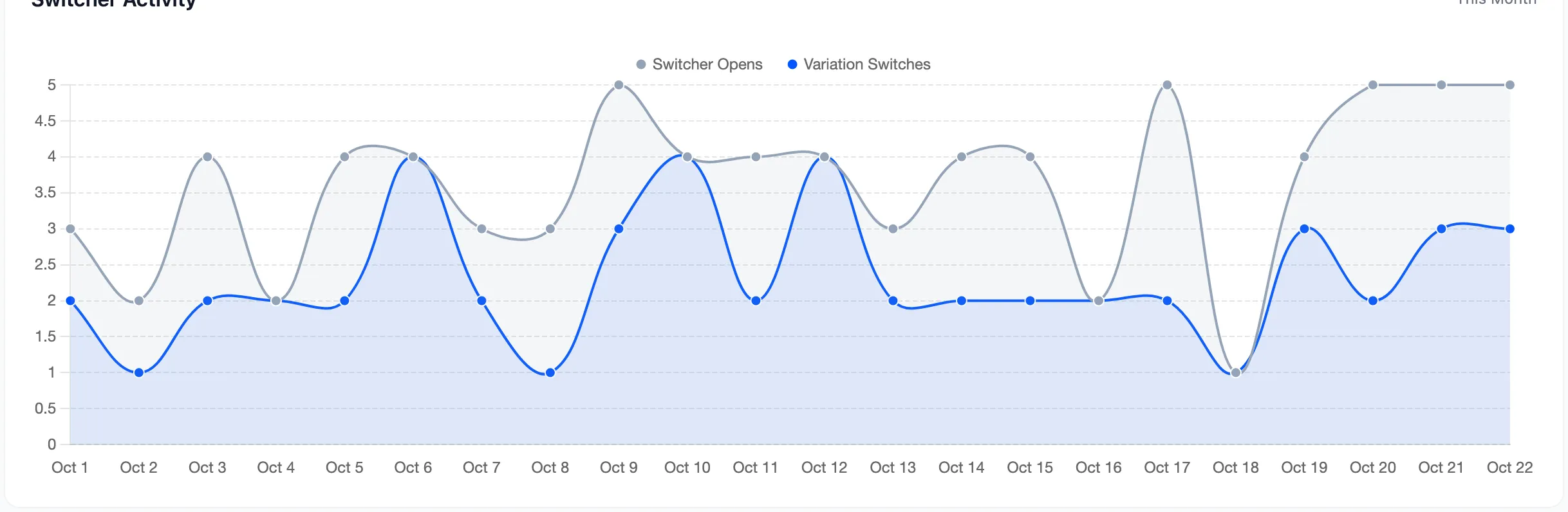
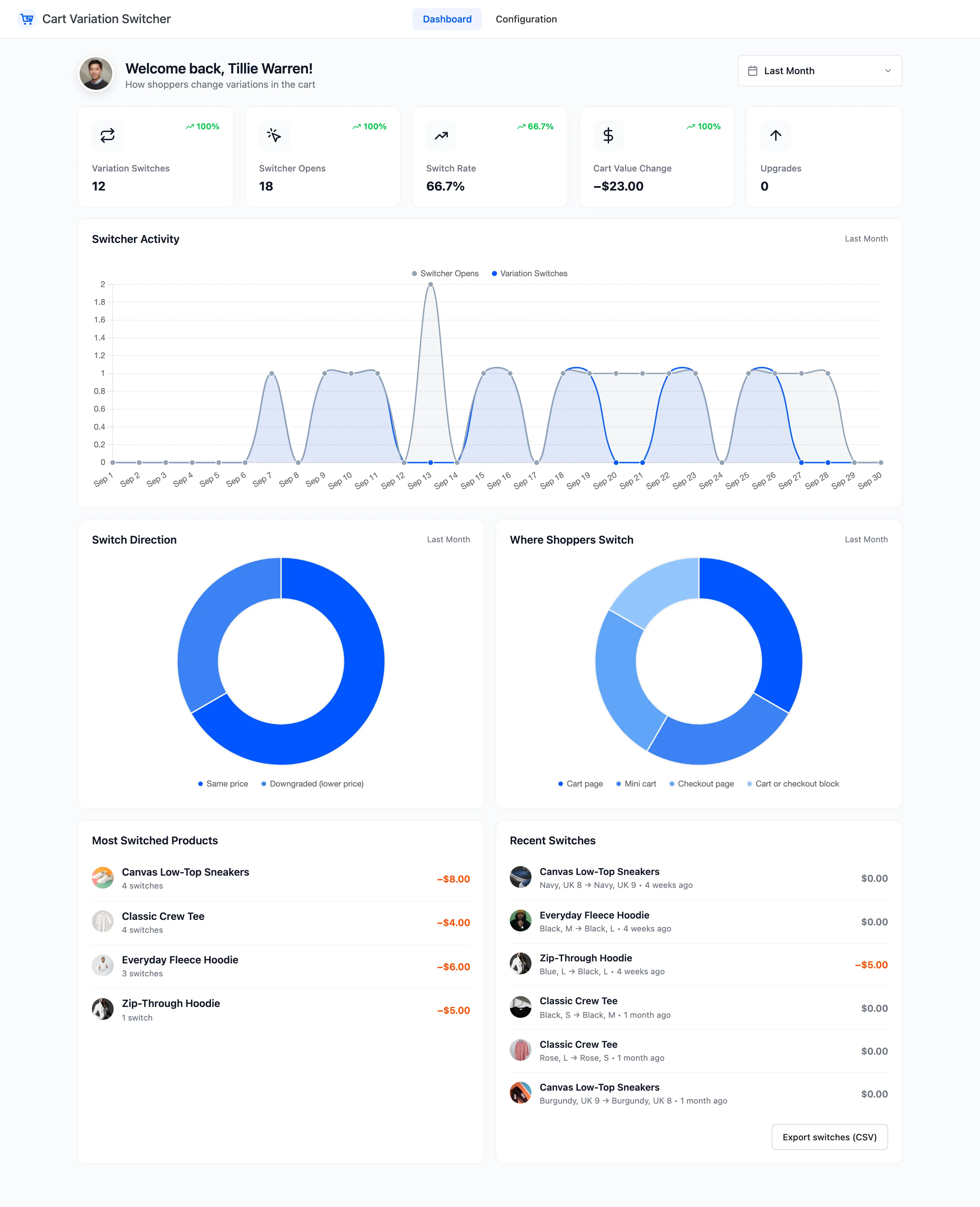
Section titled “Switcher Activity”Opens in grey and switches in blue, day by day.
Switch Direction and Where Shoppers Switch
Section titled “Switch Direction and Where Shoppers Switch”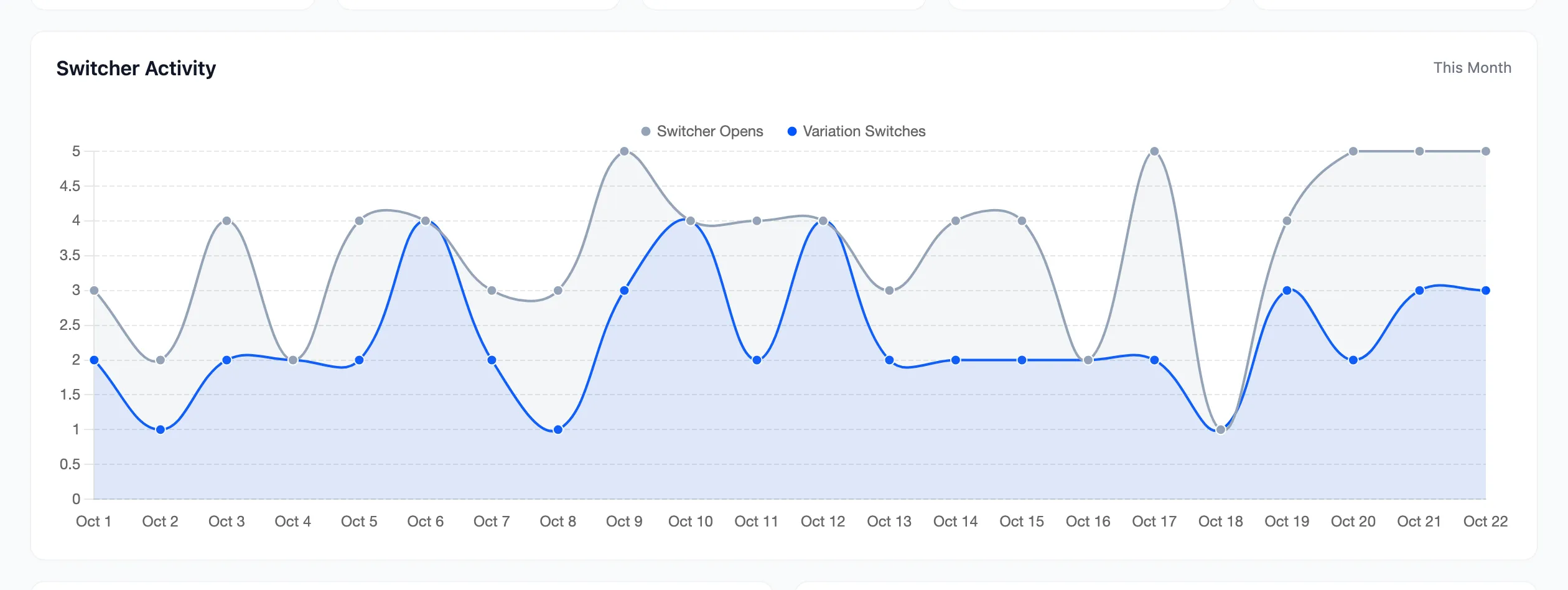
- Switch Direction: Upgraded (higher price), Same price and Downgraded (lower price). Most switches on the demo are a size change at the same price.
- Where Shoppers Switch: Cart page, Checkout page, Mini cart and Cart or checkout block.
Most Switched Products and Recent Switches
Section titled “Most Switched Products and Recent Switches”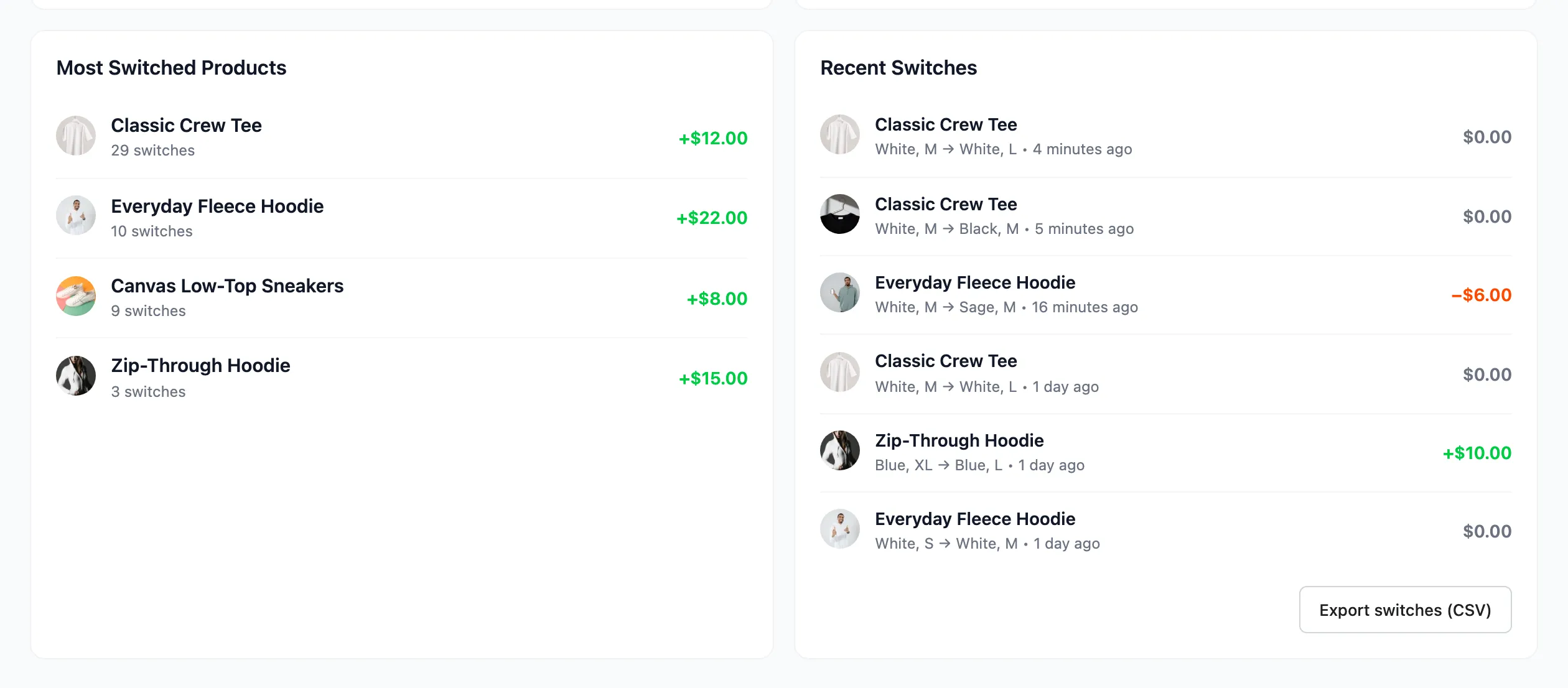
- Most Switched Products: The five products switched most, with the number of switches and the cart value change they made. The Classic Crew Tee leads with 29.
- Recent Switches: The six newest switches, with the options before and after, how long ago, and the price difference. Export switches (CSV) downloads every switch in the period.
See How to Export Switches to CSV.
Another period
Section titled “Another period”Last Month on the demo: 12 switches from 18 opens, and −$23.00. That month shoppers moved to cheaper options, such as the sale colors, and none upgraded.
Notices at the top
Section titled “Notices at the top”When shoppers cannot see the switcher, or nothing is being recorded, a notice says why, with a Fix it link:
- The license is not active.
- The switcher is turned off.
- The switcher is on but not shown on any page.
- Tracking is off.
