

How to Open the Switcher Under the Cart Item
A popup is the default because it keeps the cart table tidy. On a store with few products per order, the choices can open right under the item instead.
Step 1: Pick Inline
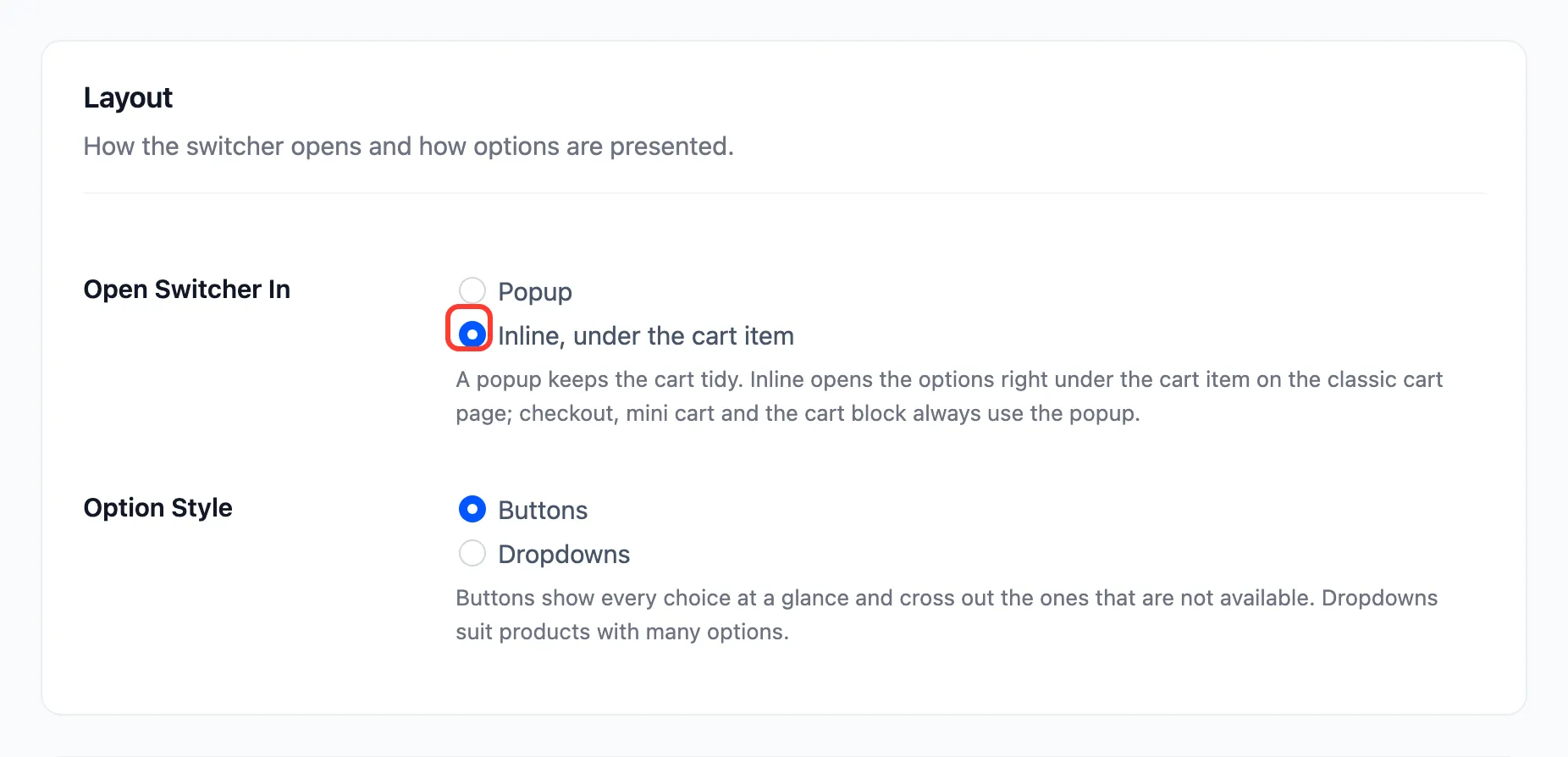
Section titled “Step 1: Pick Inline”Open Configuration → Display. Under Layout, set Open Switcher In to Inline, under the cart item. Click Save Changes.
Step 2: Press Change options on the cart page
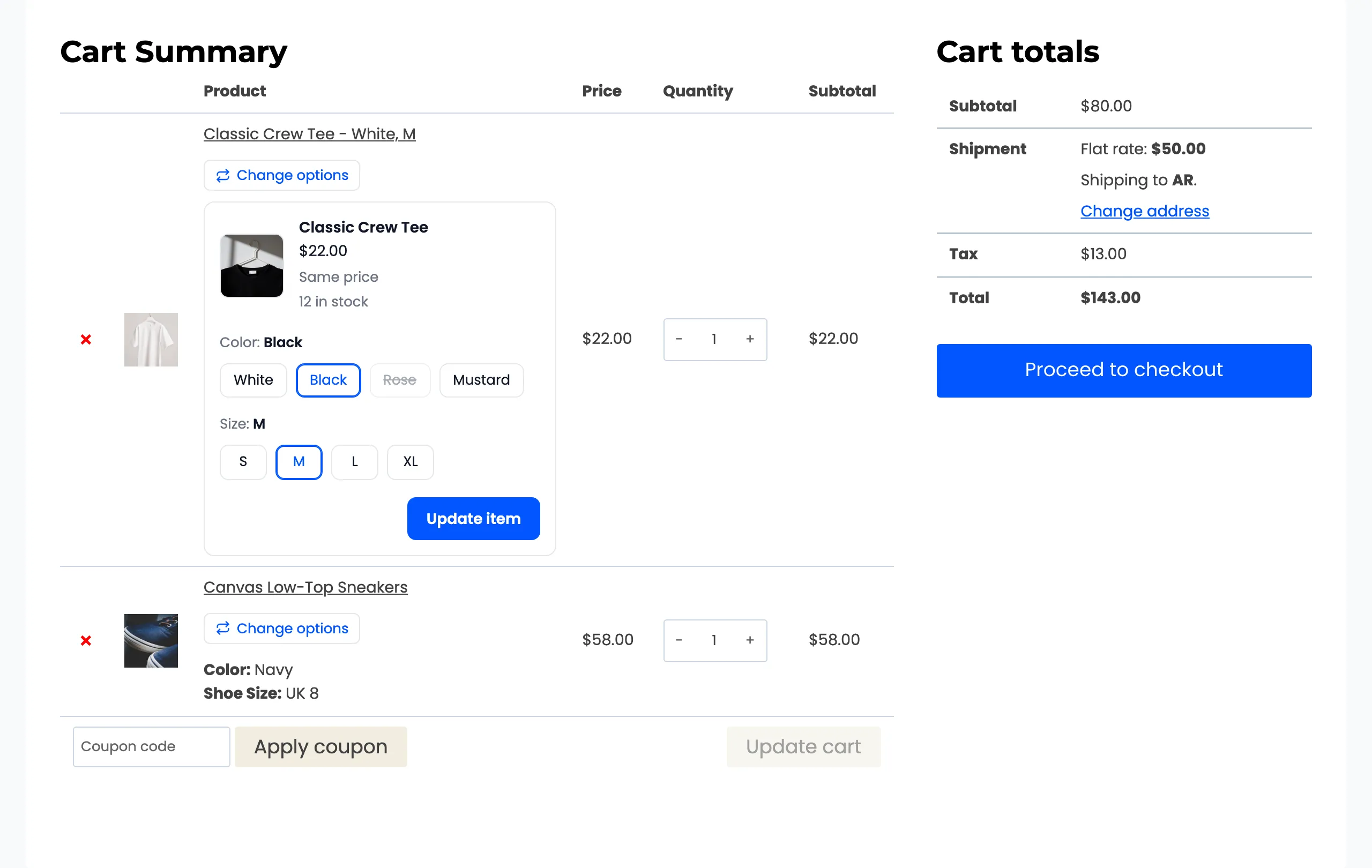
Section titled “Step 2: Press Change options on the cart page”The choices open under the item, inside the cart. Pressing Change options again folds them away.
Step 3: Pick and update
Section titled “Step 3: Pick and update”Pick the new option and press Update item. The cart reloads with the new option on the same line.
Good to know
Section titled “Good to know”- Inline works on the classic cart page only. The checkout, the mini cart and the Cart and Checkout blocks keep the popup, because there is no room under their items.
- Everything else is the same as the popup: the preview, the crossed out options and the checks.