

How to Upgrade from Version 1
Version 2.0 rebuilt the plugin. The switcher still does the same job, in more places and with more say over what shoppers see.
Step 1: Update the plugin
Section titled “Step 1: Update the plugin”Update from the Plugins screen, or upload the 2.0 zip over the old version. Your license stays active.
Step 2: Open the new screens
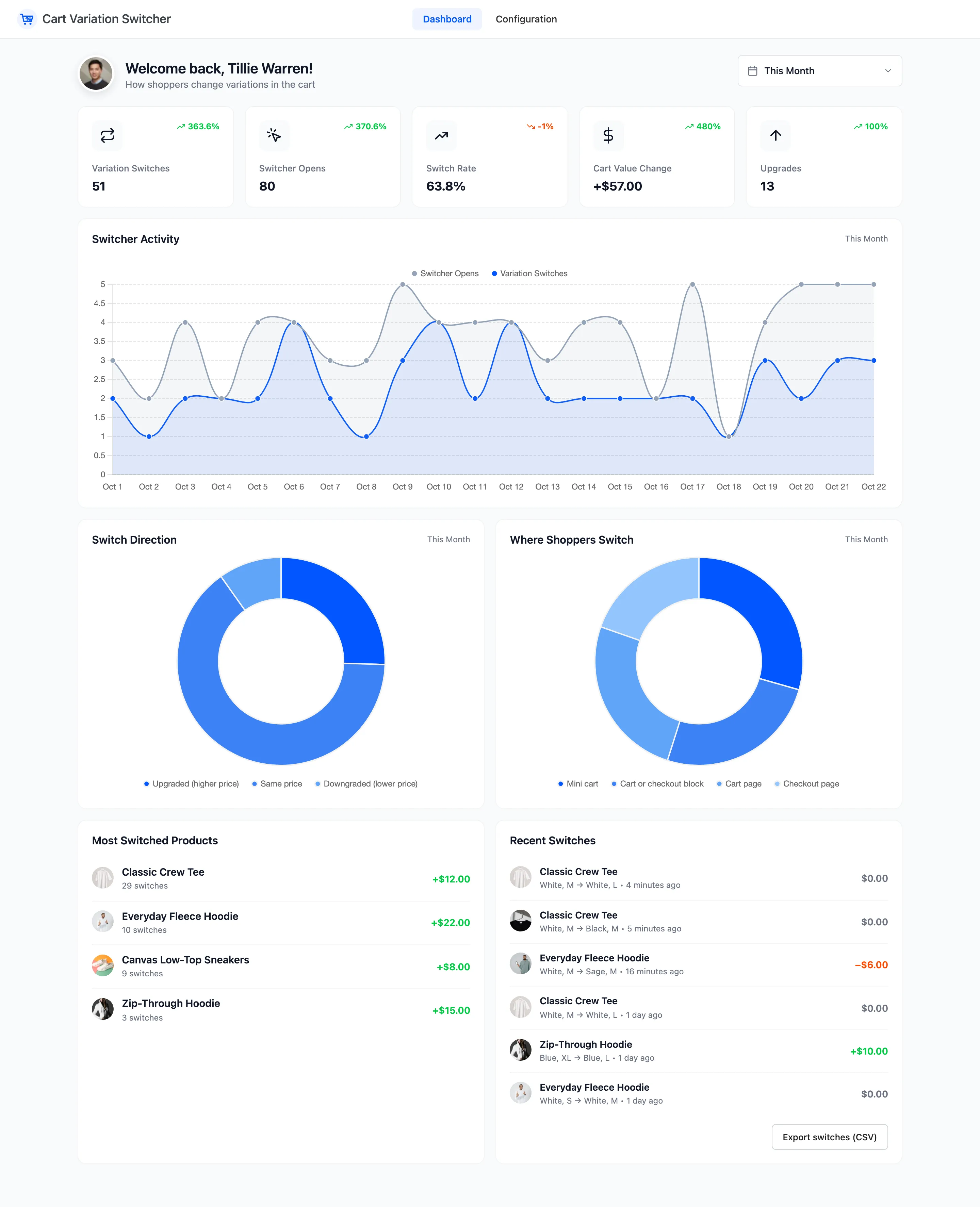
Section titled “Step 2: Open the new screens”Everything is under DevDiggers Plugins → Cart Variation Switcher, in Dashboard and Configuration. A bookmark to the old settings page opens Configuration.
Stores upgrading from 1.x do not see the setup wizard. It is still under the plugin on the Plugins screen if you want to walk through it.
Step 3: Check your settings
Section titled “Step 3: Check your settings”Three settings keep their 1.x values:
- Enable/Disable
- Price (“Show the variation price”)
- Stock (“Show stock availability”)
Everything else starts at its 2.0 default. See General Settings and Display Settings.
Step 4: Try the new places
Section titled “Step 4: Try the new places”2.0 shows the switcher on the checkout as well as the cart, out of the box.
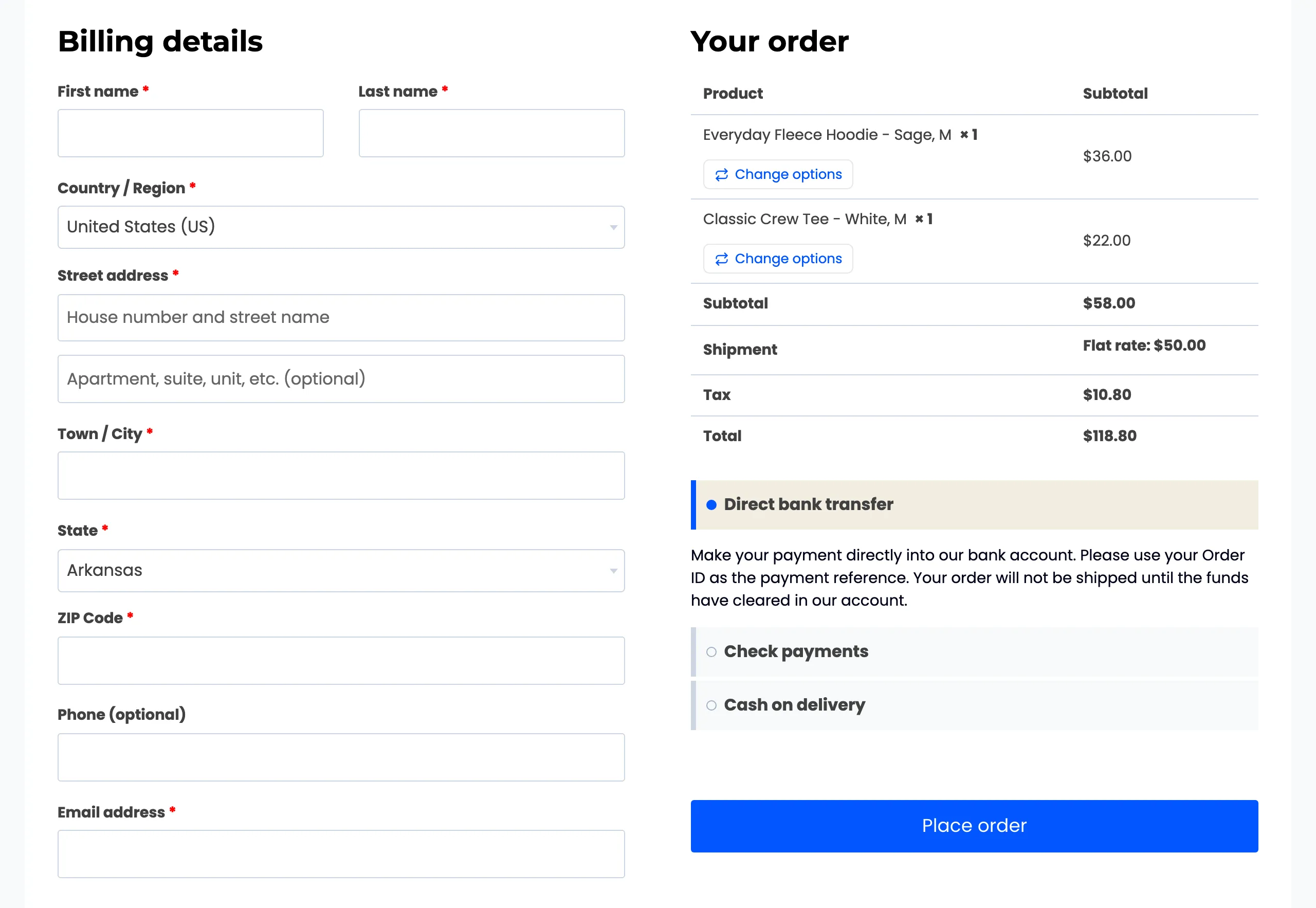 It also works on the Cart and
Checkout blocks, and in the mini cart once you add it under Show Switcher On.
What is new in 2.0
Section titled “What is new in 2.0”- Checkout, mini cart and Cart and Checkout block support.
- An inline layout, and dropdowns as well as buttons.
- A preview with the image, price difference, stock and SKU, and crossed out options.
- Rules for roles, products and categories, and a per-product opt out.
- A dashboard with switches, the switch rate, the cart value change and a CSV export.
The dashboard starts empty on the day you update. Switches made with 1.x were not recorded.