

How to Offer the Switcher to Certain Customer Roles
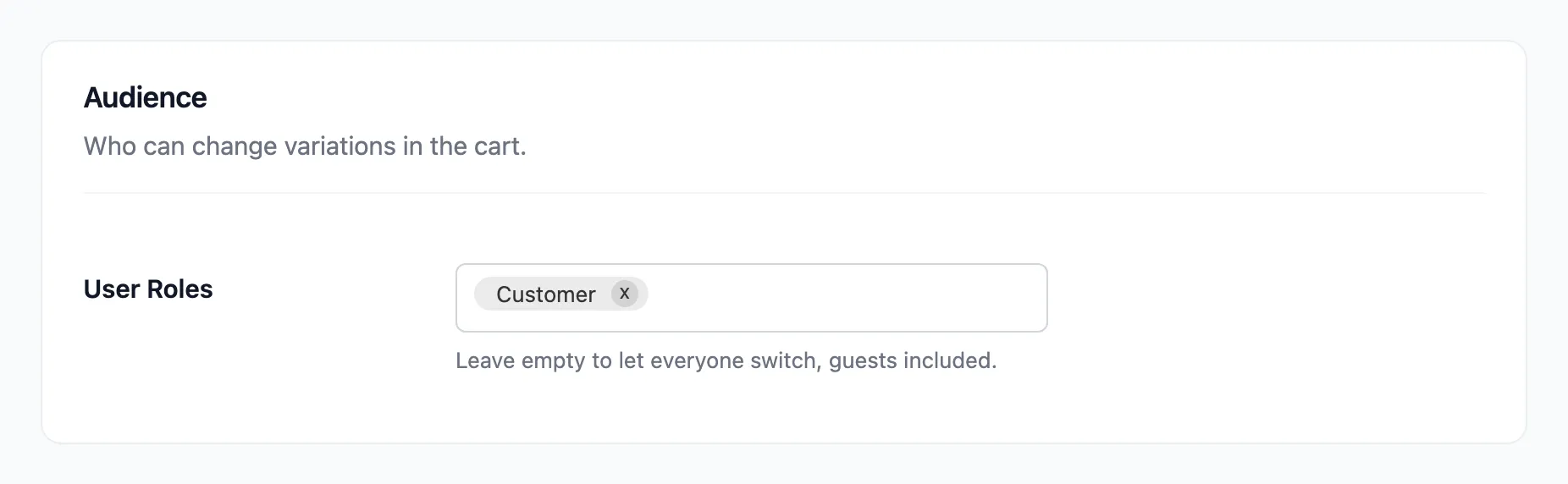
Empty, as shipped, the switcher is for everyone. Pick roles to keep it to some shoppers, such as signed-in customers or a wholesale role.
Step 1: Open Audience
Section titled “Step 1: Open Audience”Open Configuration → Rules and find Audience.
Step 2: Pick the roles
Section titled “Step 2: Pick the roles”Add the roles to User Roles. The list starts with Guests (not logged in), then every role on your site, including ones other plugins added. The demo picked Customer alone.
Step 3: Save and check
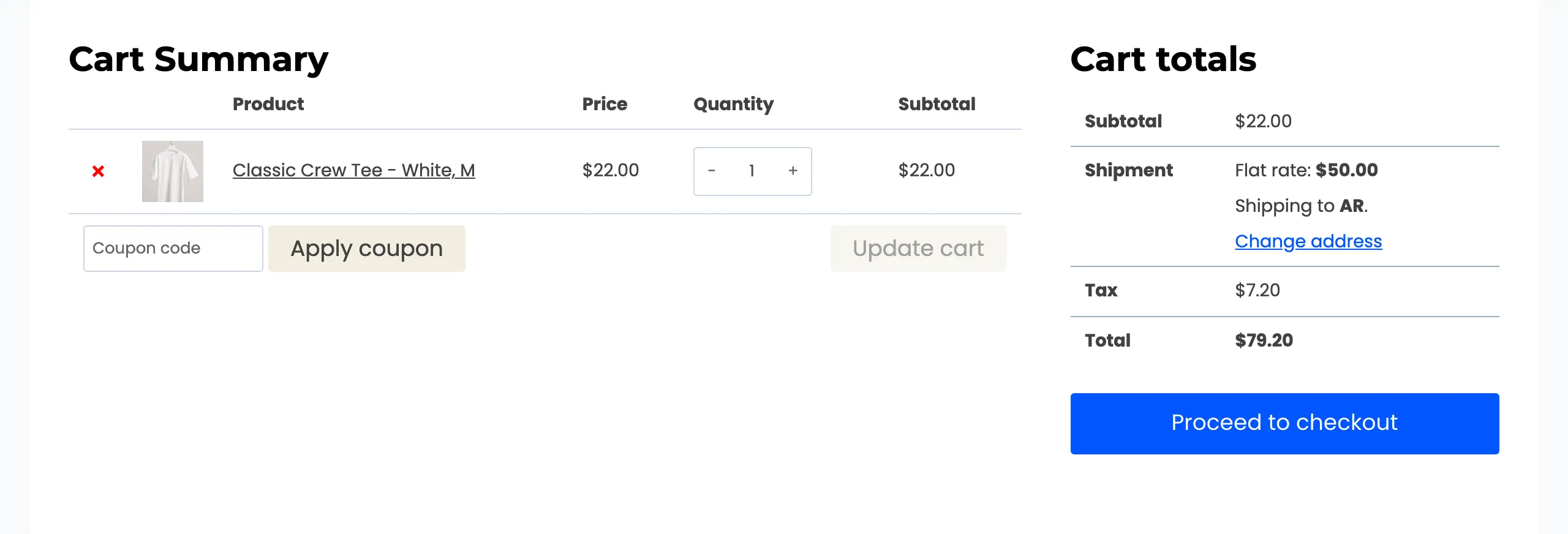
Section titled “Step 3: Save and check”Click Save Changes. A guest’s cart now has no button.
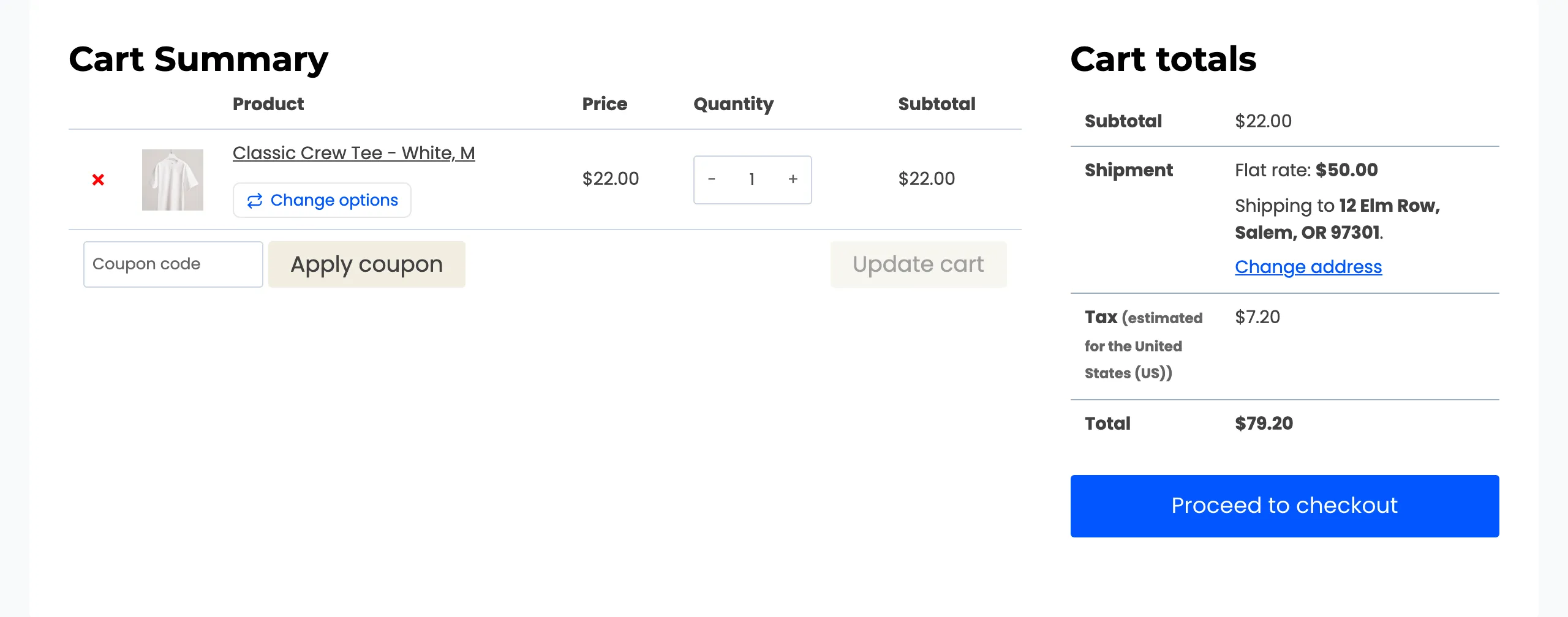
Amara, signed in with the Customer role, still has it.
Good to know
Section titled “Good to know”- To keep guests and add one role, pick Guests (not logged in) and that role.
- A shopper with several roles needs only one of them in the list.