

Introduction to Cart Variation Switcher
Cart Variation Switcher lets shoppers change the size, color or any other option of a product that is already in their cart. They press Change options under the item, pick the new option and press Update item. The line changes in place, with the same quantity, and the cart totals update.
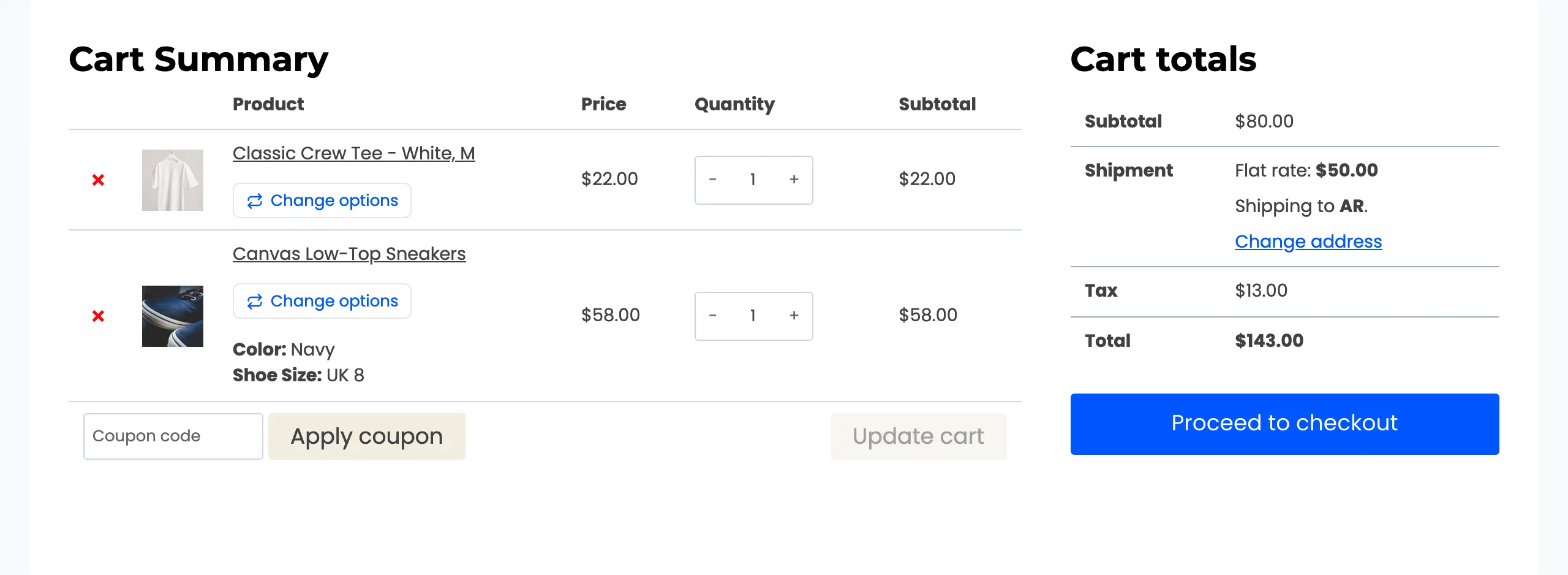
Without it, a shopper who picked the wrong size has to remove the item, find the product again and add the right one. Some do. Others leave.
It is a paid plugin with no free edition, so every feature on these pages is part of the one plugin.
What the shopper sees
Section titled “What the shopper sees”The switcher opens in a popup by default. It shows the product, and the price and stock of the option being picked. It also shows how much more or less that costs than the one in the cart.
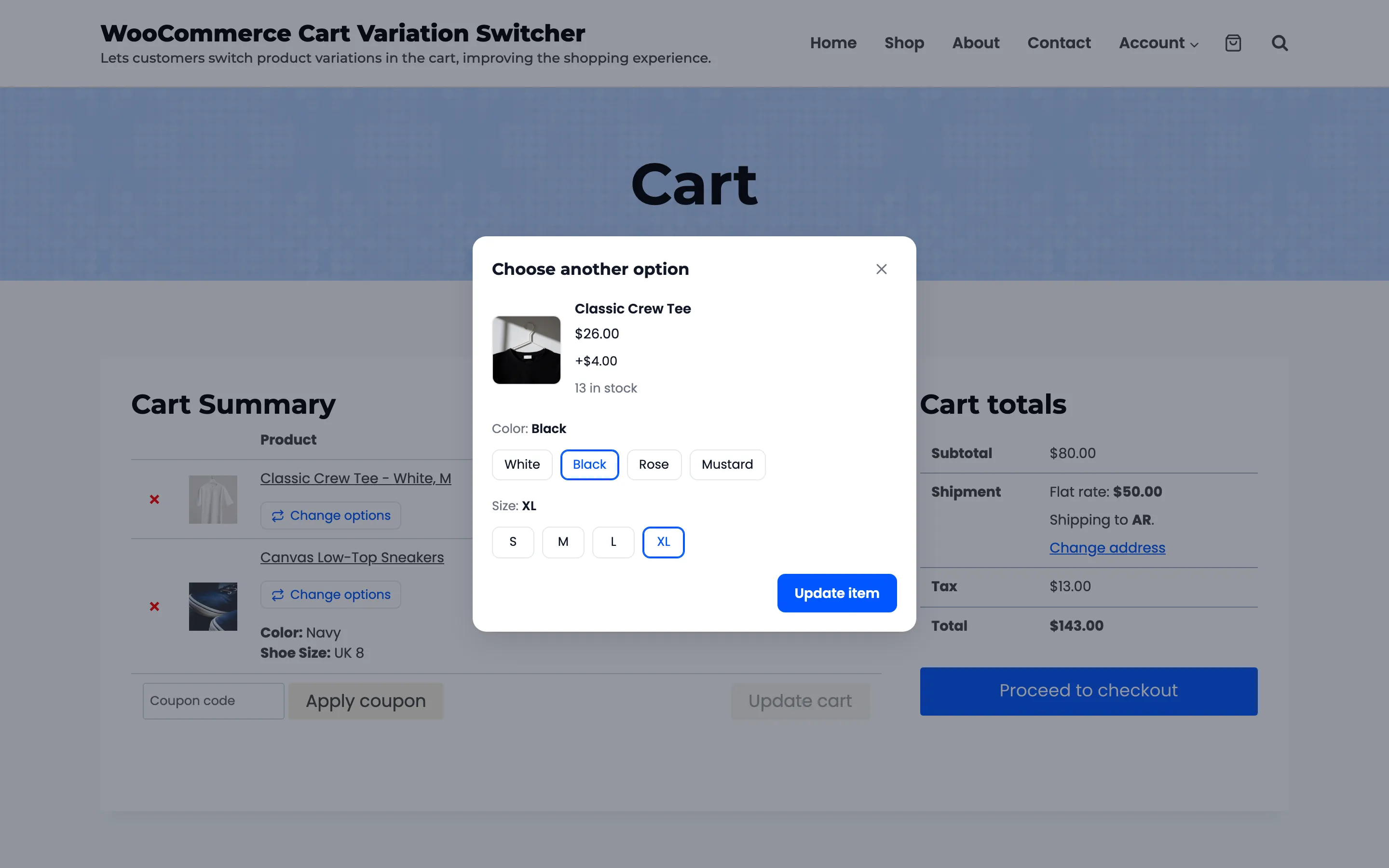
Options that cannot be bought with the other choices are crossed out. A shopper never picks a combination that does not exist or is out of stock.
Where it appears
Section titled “Where it appears”- Cart page: Under the product name, on the classic cart and on the Cart block.
- Checkout page: In the order summary, on the classic checkout and on the Checkout block.
- Mini cart: In the theme’s header or side cart, when you switch it on.
Cart and checkout are on out of the box. The mini cart is one setting away. See How to Add the Switcher to the Mini Cart.
What else it does
Section titled “What else it does”- Two layouts: A popup, or inline under the cart item on the classic cart page.
- Buttons or dropdowns: Buttons show every choice at a glance. Dropdowns suit long option lists.
- Rules: Offer the switcher to certain roles, limit it to some products or categories, or exclude some. Each product can also opt out on its own edit screen.
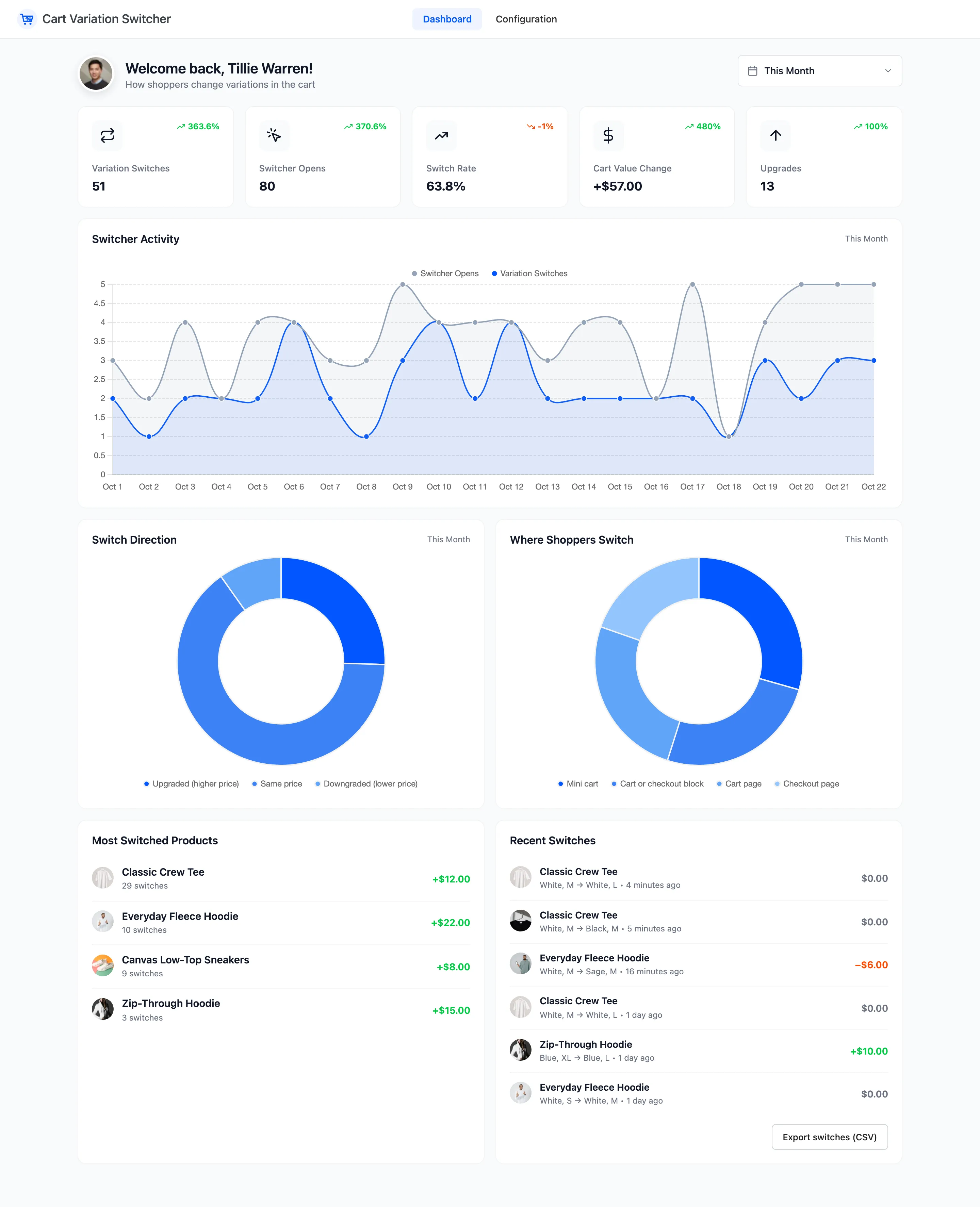
- Dashboard: How often shoppers open the switcher, how many switch, which products they change, and whether the switches add to or take from cart value. Switches download as a CSV file.
Where things live
Section titled “Where things live”Everything is under DevDiggers Plugins → Cart Variation Switcher, in two menus: Dashboard and Configuration. Configuration has four tabs: General, Display, Rules and License.
Each variable product also gets one checkbox on its Inventory tab. See The Product Screen.
Requirements
Section titled “Requirements”- WordPress 6.2 or newer and WooCommerce 8.0 or newer.
- An active license. Until it is active, shoppers see no switcher.
It works with the WooCommerce order tables (HPOS) and with the Cart and Checkout blocks.
Where to go next
Section titled “Where to go next”- How the Variation Switcher Works follows one switch from button to cart.
- Installing and Activating gets the plugin running.
- How to Let Shoppers Change a Variation in the Cart is the first thing to try.