

How to Sell a Variable Product
A product with variations is one product sold in several versions: a coffee in 250g or 1kg, a loaf whole or sliced. In FluentCart each version is its own variation, with its own price and stock. MultiPOS shows them as one list of options, so the right variation reaches the cart in one tap.
Step 1: Tap the product
Section titled “Step 1: Tap the product”A product with variations shows a price range on its card instead of one price.
Tap the card, or search for it by name.
Step 2: Pick the option
Section titled “Step 2: Pick the option”The product grid is replaced by the product’s options. The heading reads Option, with Choose an option under it, and every variation is a card with its own price and stock.
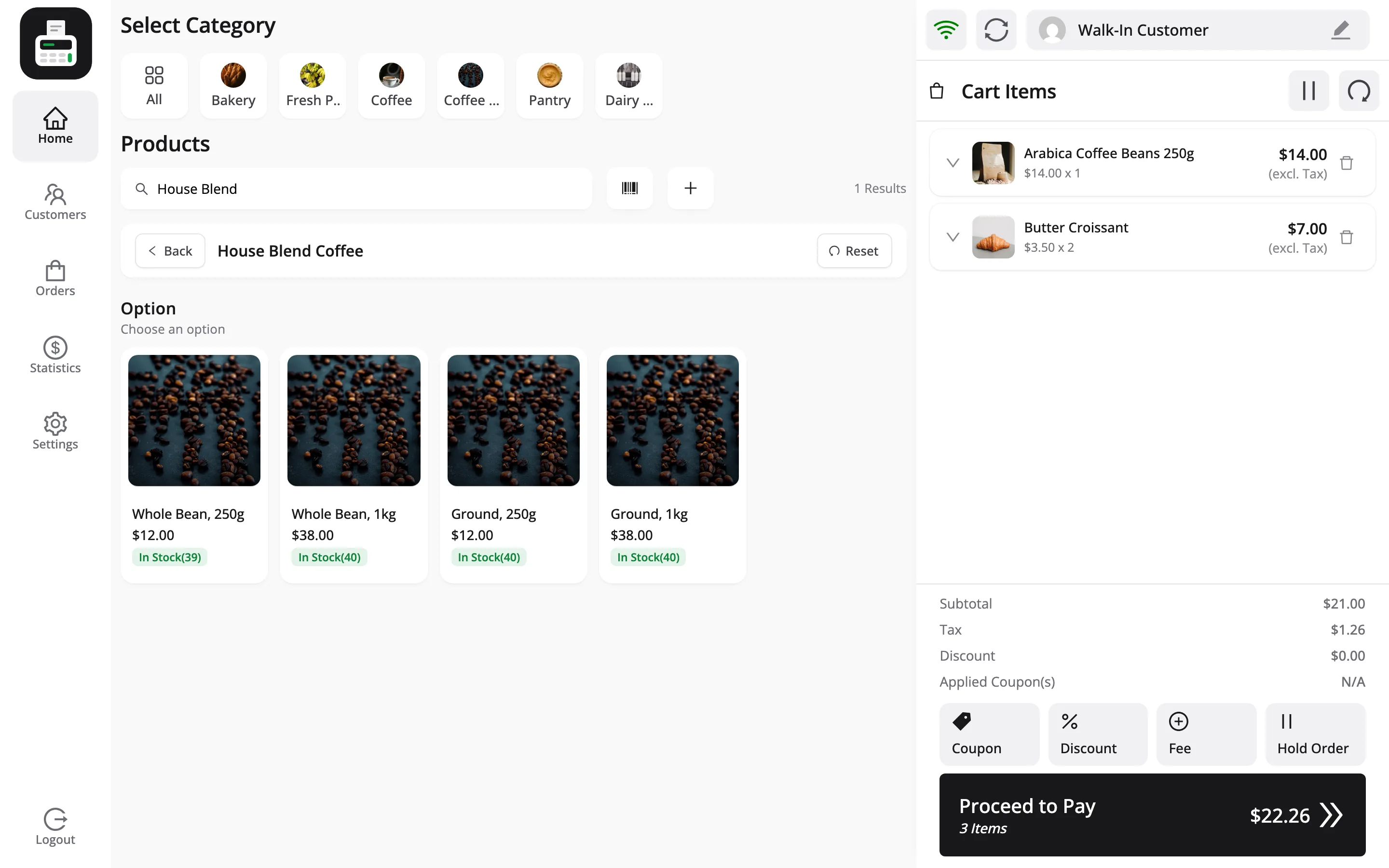
FluentCart keeps variations as a flat list rather than as separate attributes, so there is one step, not one per attribute. Each card carries the variation’s own name from FluentCart.
With FluentCart Pro’s advanced variations, where a variation is built from attributes such as colour and size, the card shows the combined attribute label, such as Pink 128GB. It is still one grid.
A variation that is out of stock is never offered. Back returns to the product grid, and Reset clears the choice.
Step 3: Tap an option to add it
Section titled “Step 3: Tap an option to add it”Tap a card and that variation goes into the cart.
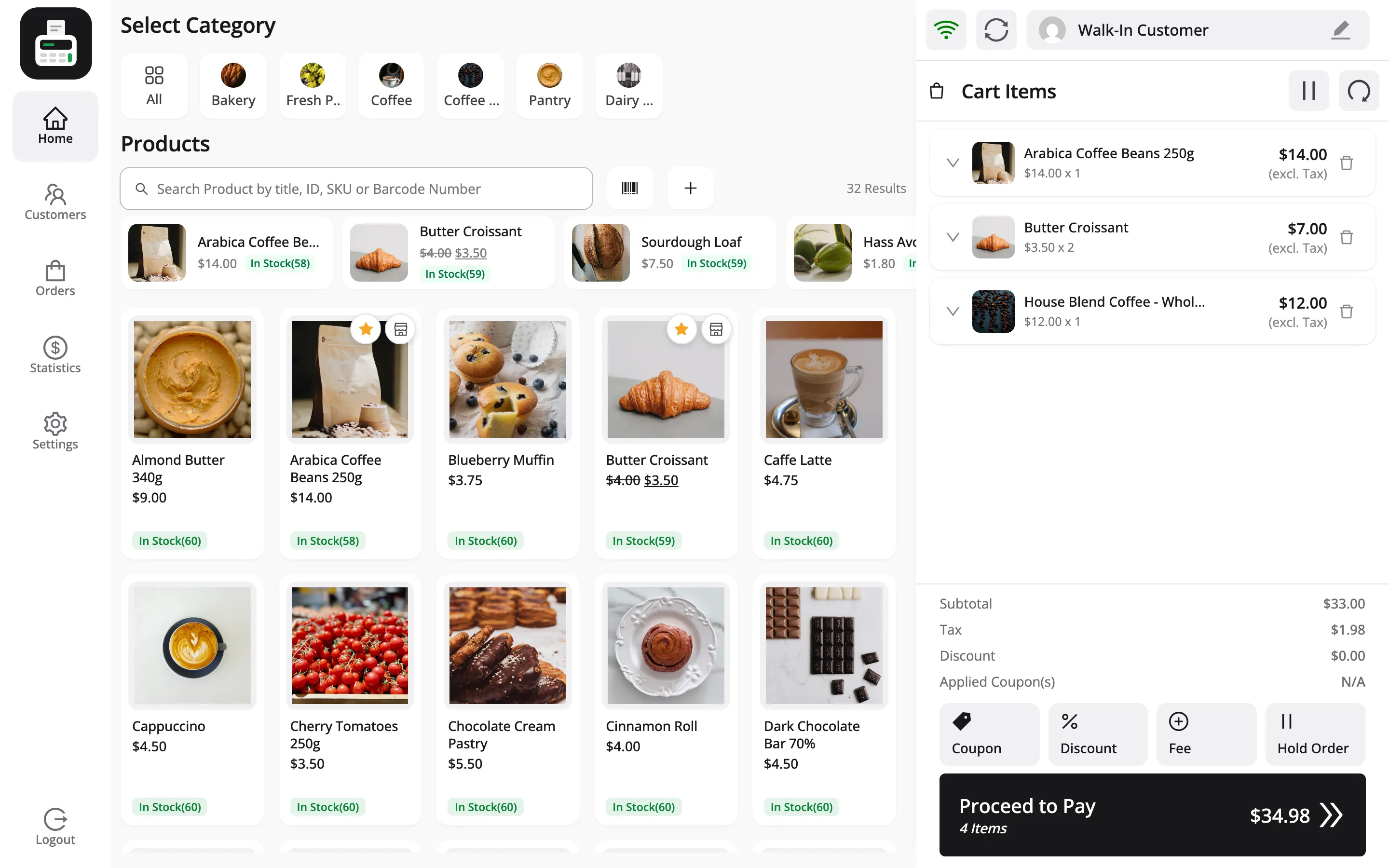
Step 4: Check the cart line
Section titled “Step 4: Check the cart line”The cart line names the product and the option in full.
Two other ways to show variations
Section titled “Two other ways to show variations”Both are set under Configuration → Layout.
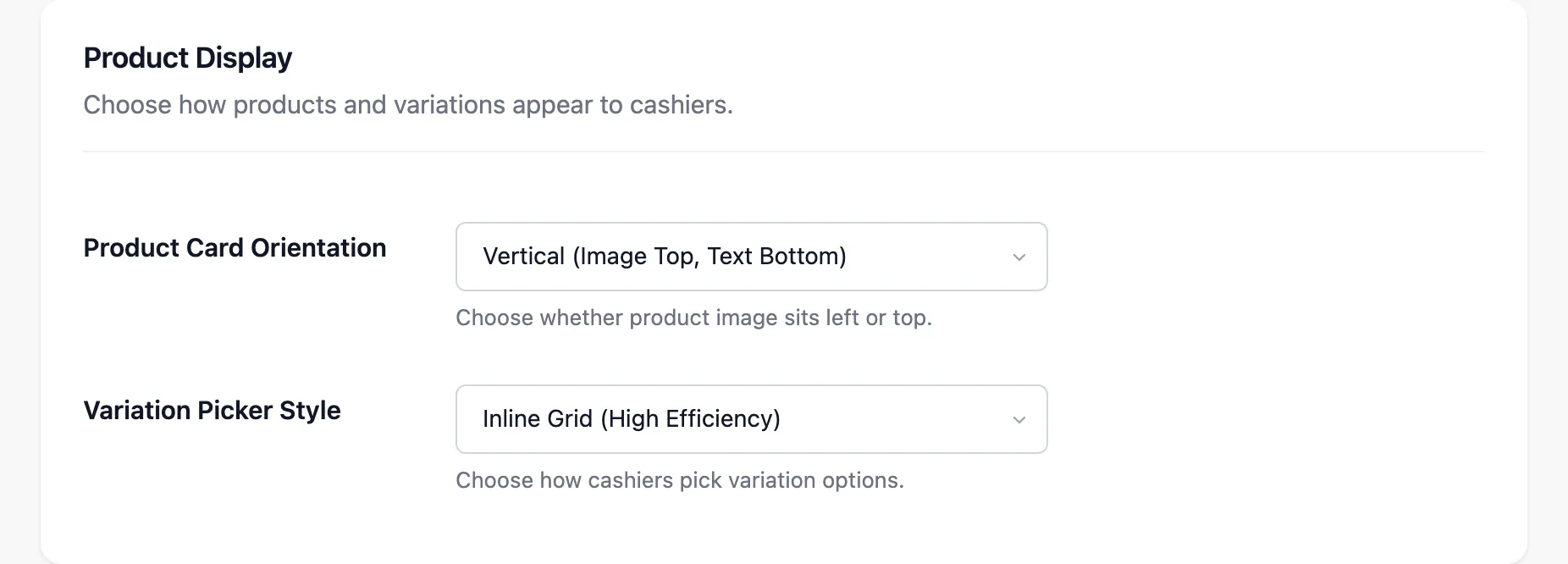
- Variation Picker Style: Inline Grid (High Efficiency), the default, is the grid above. Modal Popup (Clean Design) opens a Select Variation popup with the options as a row of chips.
- Show Variations as Individual Items: Under Product Details. Turn it on and every variation is its own card in the product grid, with no picking at all. That suits a store with few variations that sells them by sight.
Products the POS leaves out
Section titled “Products the POS leaves out”Subscription products and FluentCart Pro bundles are not offered at the POS by default. A subscription is billed through FluentCart’s own checkout, and a bundle takes its stock from other products.