

How to Sell a Custom or Weighed Item
Two things a catalogue cannot cover: something you are selling once and will never sell again, and something whose price depends on how much of it the customer wants.
Both are switched on under Configuration → General: Custom Product Entries for the first, Calculated Unit Pricing for the second.
Part one: a custom item
Section titled “Part one: a custom item”Use this for a gift box, a catering charge, a one-off cake order, anything you are not going to stock.
Step 1: Press the plus icon
Section titled “Step 1: Press the plus icon”On the home screen, the plus sits in the search row, just right of the barcode icon.
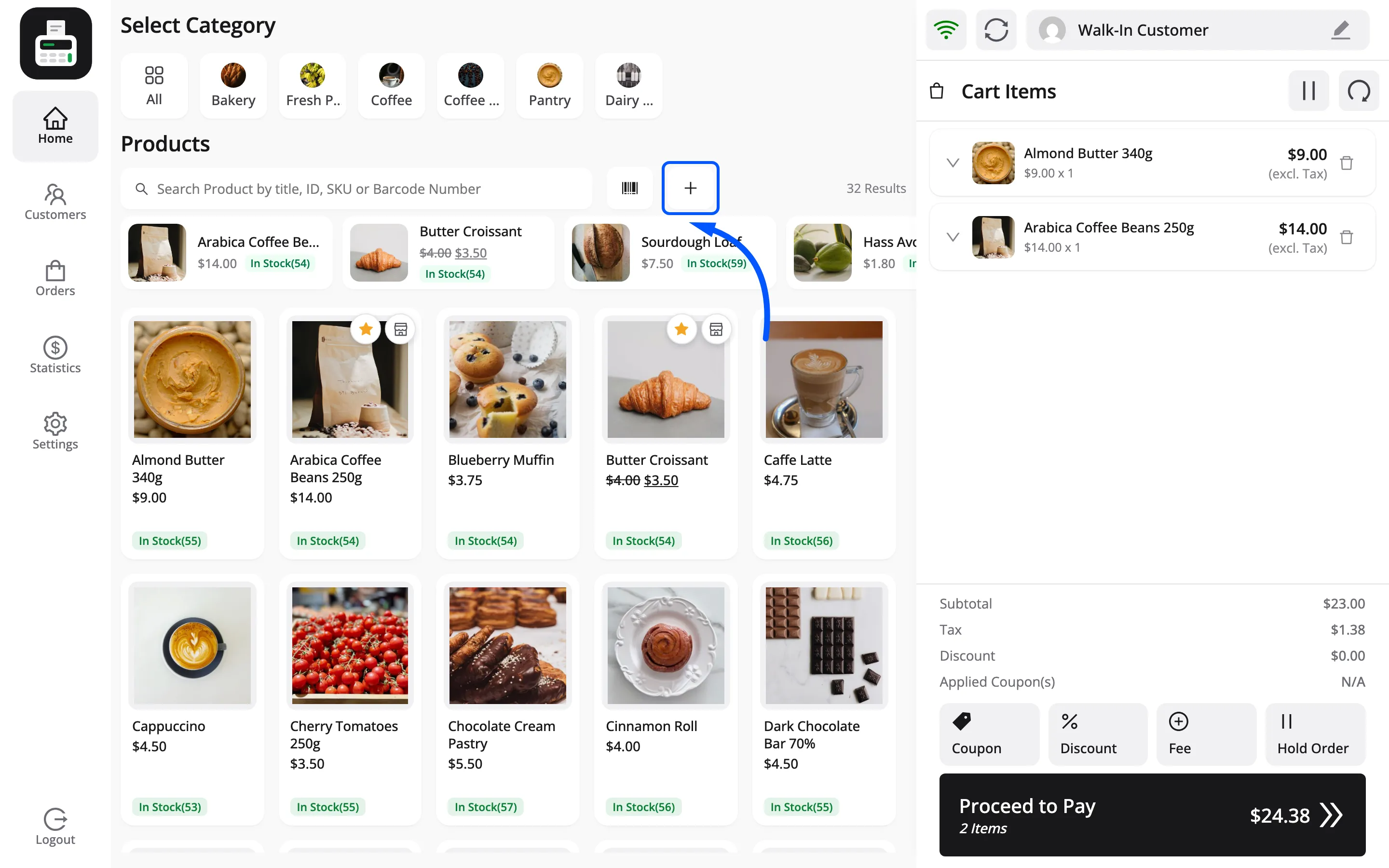
Step 2: Name it, price it, count it
Section titled “Step 2: Name it, price it, count it”Custom Product Details has three fields and nothing else.
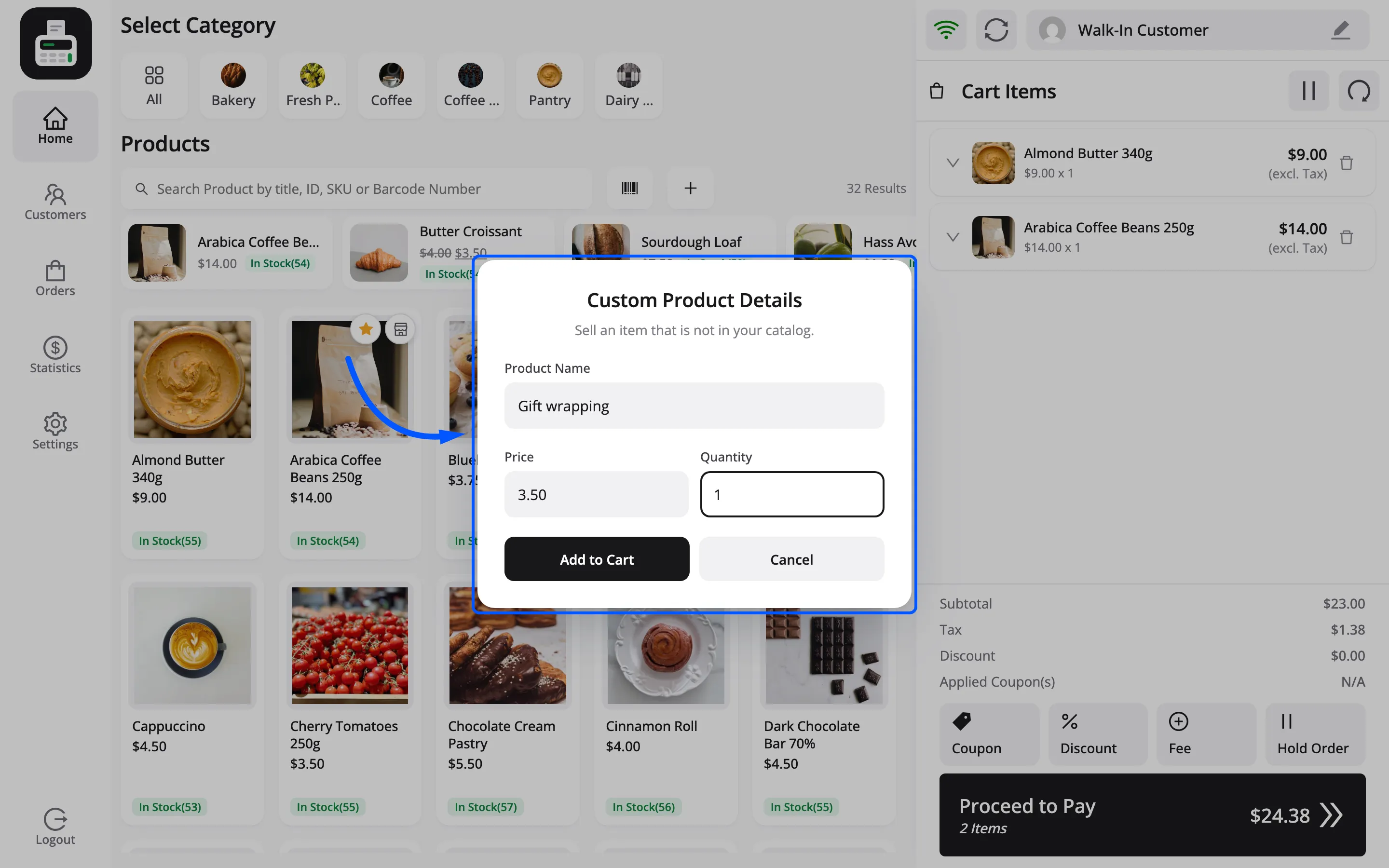
| Field | What goes in |
|---|---|
| Enter Product Name | What the customer will see on the receipt |
| Enter Price | The price for one, in your shop currency |
| Enter Quantity | How many, minimum 1 |
Add stays disabled until all three carry a value. There is no default price and no default quantity.
Name it for the customer, not for you. Gift box - large reads well on a receipt; misc3 does
not, and that receipt may come back with a query attached.
Step 3: It joins the cart like anything else
Section titled “Step 3: It joins the cart like anything else”The line behaves normally from there: it counts towards the total, takes tax, takes a discount or a coupon, and prints on the receipt.
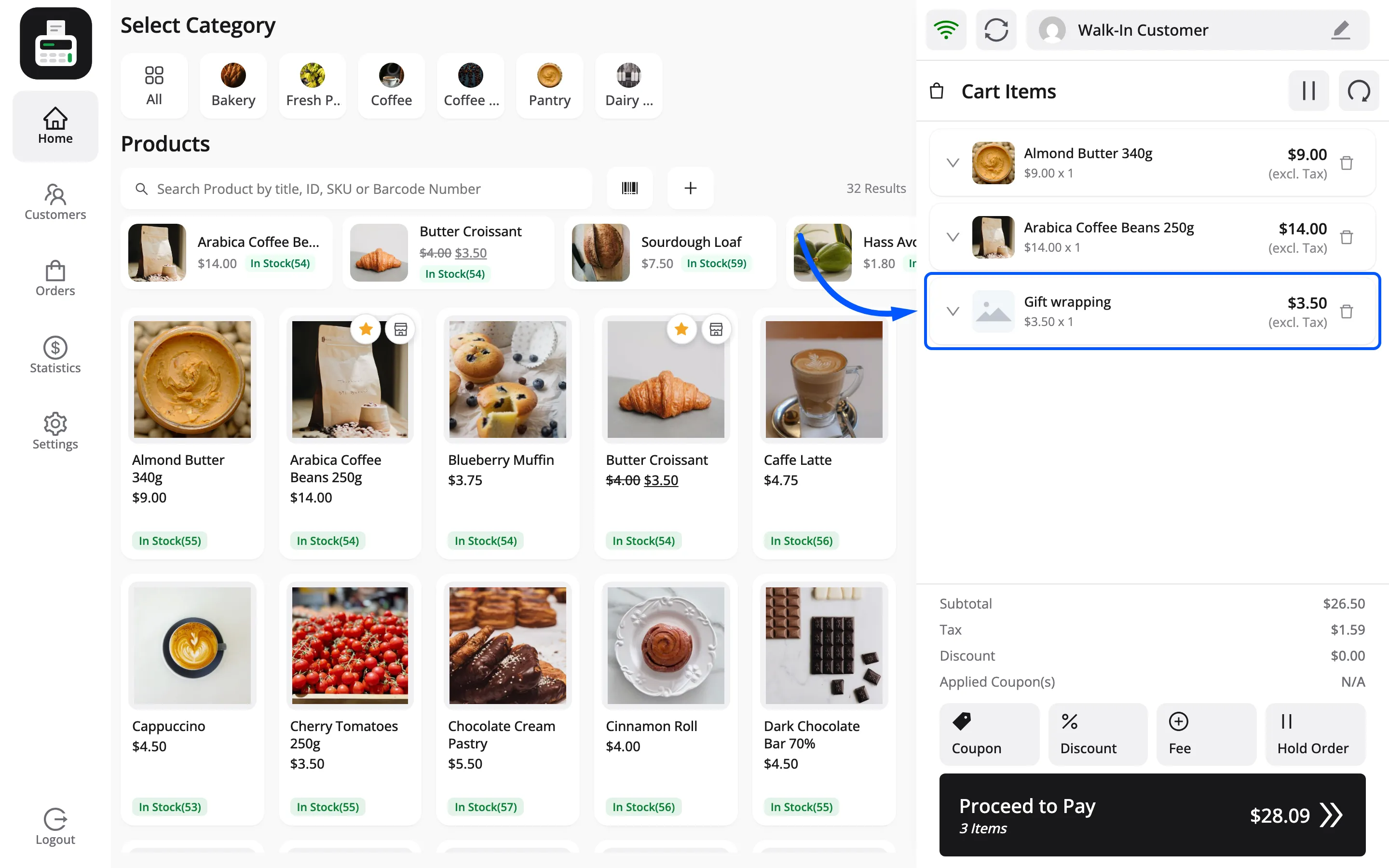
The custom line is counted exactly like the catalogue products above it. On the FluentCart order it becomes its own line, under the name you typed.
It carries the placeholder image, because there is no product behind it to take a photo from. That is the visible sign of what the next three points are about.
Three things it does not do, all for the same reason.
- No stock. There is no product behind it, so nothing is counted down and nothing is counted back on a refund.
- No barcode. It cannot be scanned next time. A charge you make weekly deserves a real product.
- No product reports. It carries revenue, so it shows in sales totals, but it will not appear in any report that groups by product.
Part two: an item priced by weight
Section titled “Part two: an item priced by weight”With Calculated Unit Pricing on, a product whose FluentCart variation has a weight does not go straight into the cart when you tap it. The weight lives on the variation in FluentCart, in your store’s weight unit (kg on the demo). Its price is the price for that weight, such as 1 kg at $3.50.
Step 1: Tap the product
Section titled “Step 1: Tap the product”The POS asks how much, and states the unit price it is about to use.
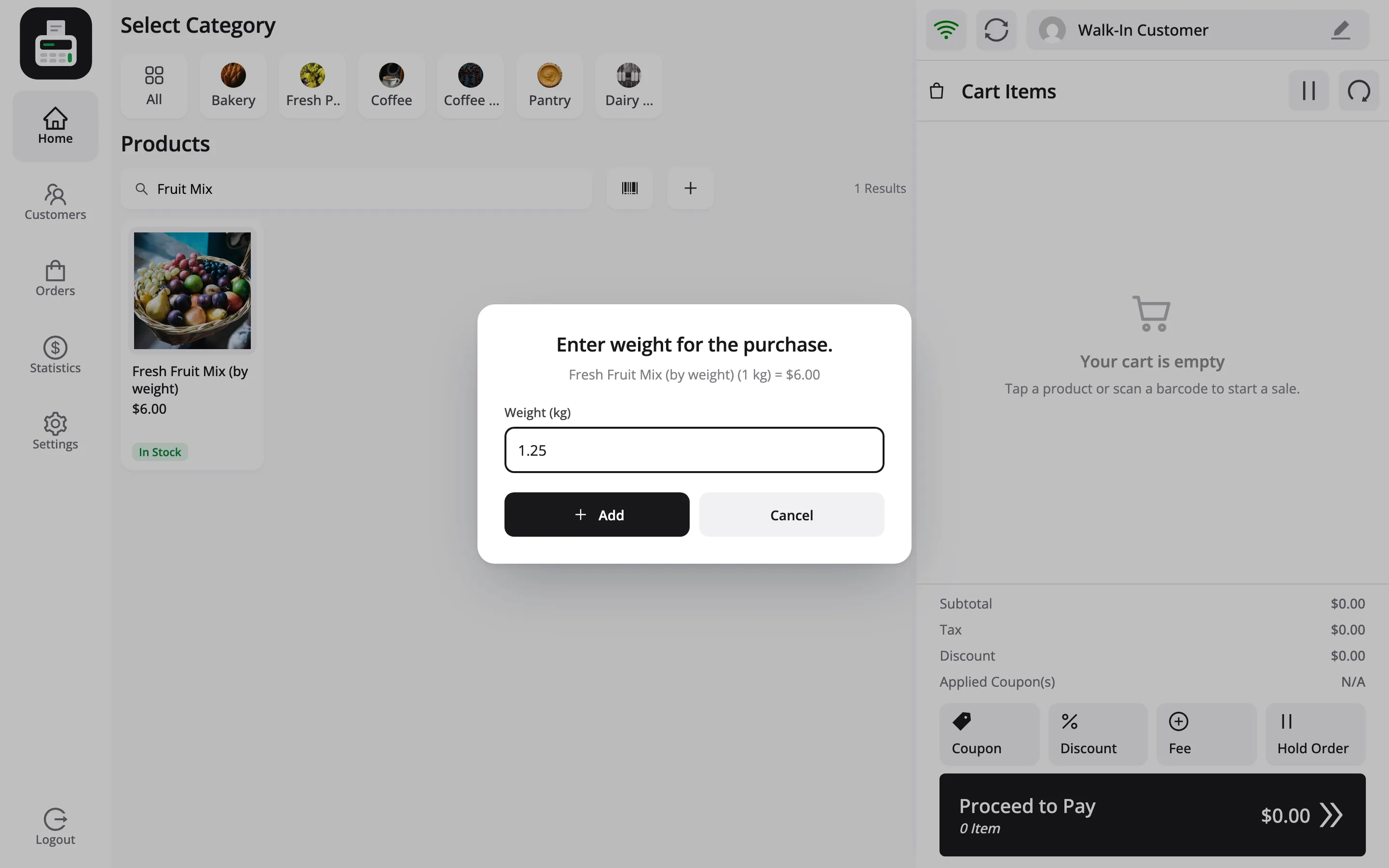
The line under Enter weight for the purchase. reads product, weight, unit and price together, such
as Hass Avocado (1 kg) = $3.50. A cashier can check the price before weighing anything.
Step 2: Type the weight
Section titled “Step 2: Type the weight”Type what the scales say into Weight (kg) and press Add. The POS scales the price to the weight: 2 kg of a product priced at $3.50 per kg comes to $7.00.
An empty or zero weight is refused with Enter valid weight.
The scales are not connected to anything. MultiPOS does not read a scale; the cashier reads the scale and types the number. Nothing here needs setting up, and nothing will fill it in for you.
Step 3: Check the cart line
Section titled “Step 3: Check the cart line”The cart line carries the arithmetic. Expand it with the chevron to see Quantity and Price Per Unit.
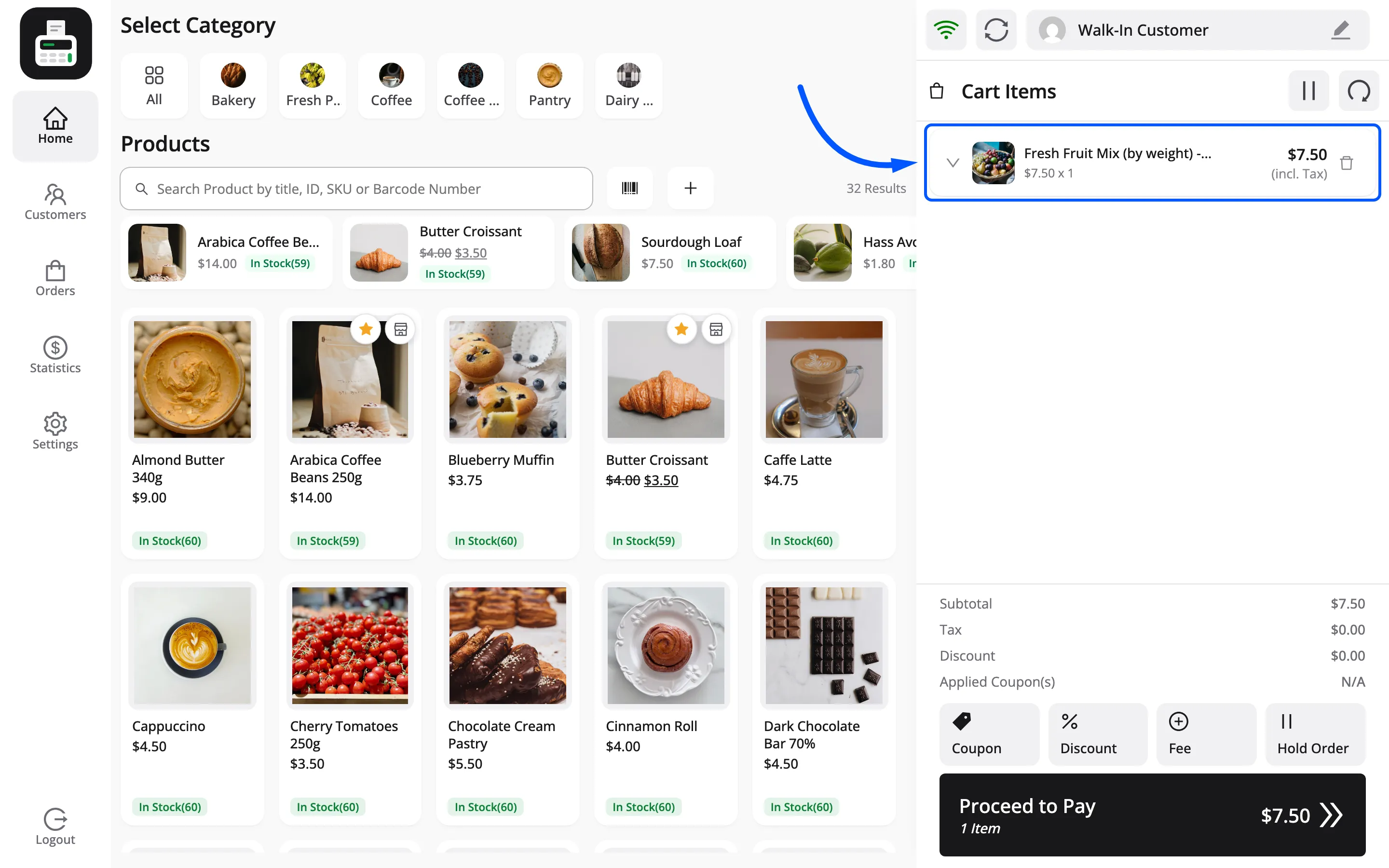
This is the part worth reading twice, because it is not laid out the way you would guess.
- The weight is not the quantity. 2 kg at $3.50 per kg reads $7.00 x 1: quantity 1, at a price per unit of $7.00. The weight is already in the price, and the line is one of those.
- The weight itself is not editable. There is no weight box on the line. To correct a mis-typed weight, delete the line and tap the product again.
- Price Per Unit is editable, and on a weighed line that is the only way to adjust the figure. Be careful with it: a cashier who lowers the price per unit has given a discount that appears nowhere as one.
- Quantity works as normal. Two identical 2 kg bags is quantity 2 at $7.00 each.
Which one to use
Section titled “Which one to use”| Situation | Use |
|---|---|
| Charge you invent on the spot | Custom item |
| Same charge every week | A real FluentCart product |
| Priced per kilo, gram, pound | A weight-based product |
The unit comes from your FluentCart store settings, so the prompt always reads in that unit.