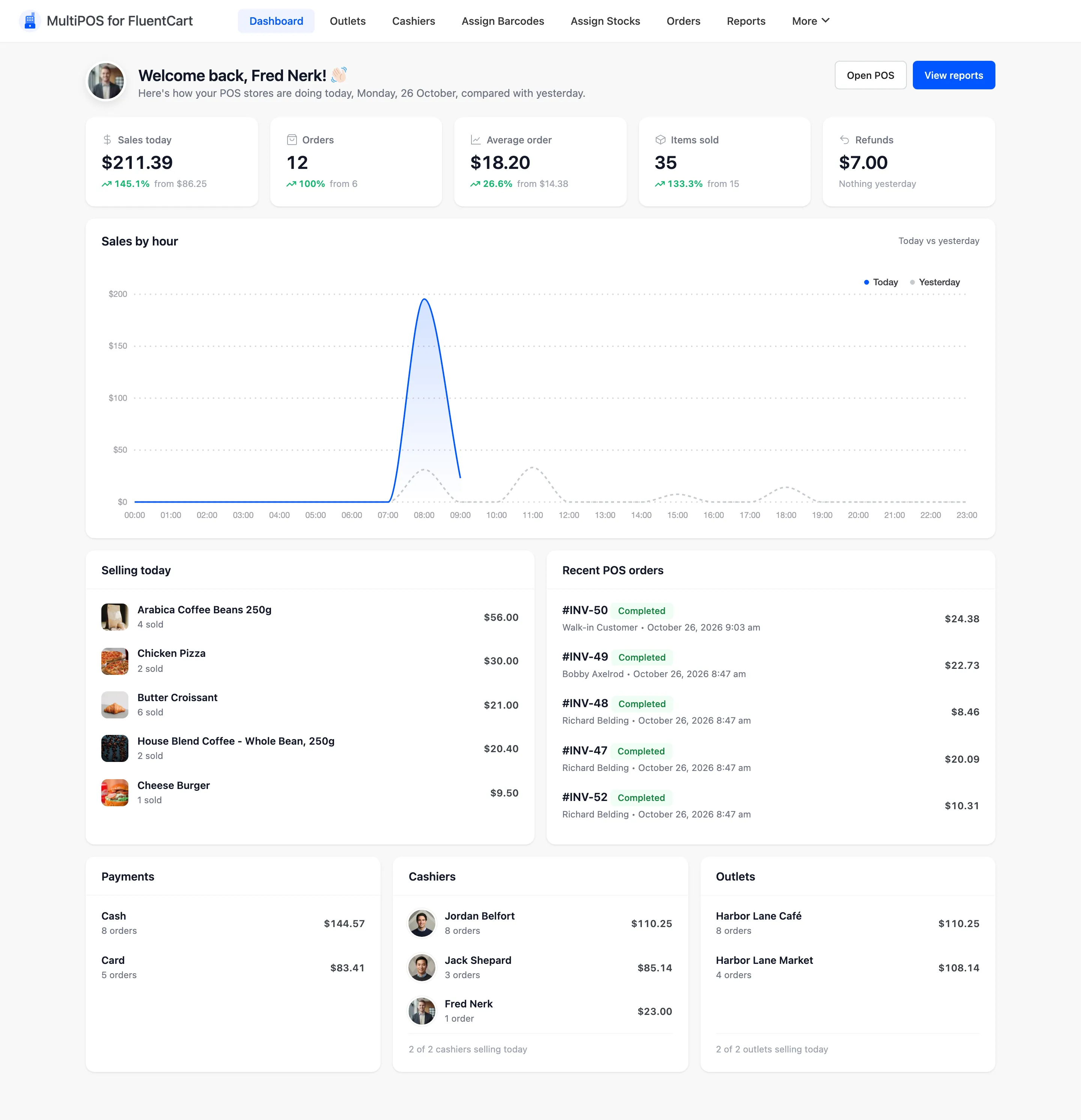
Introduction to MultiPOS for FluentCart
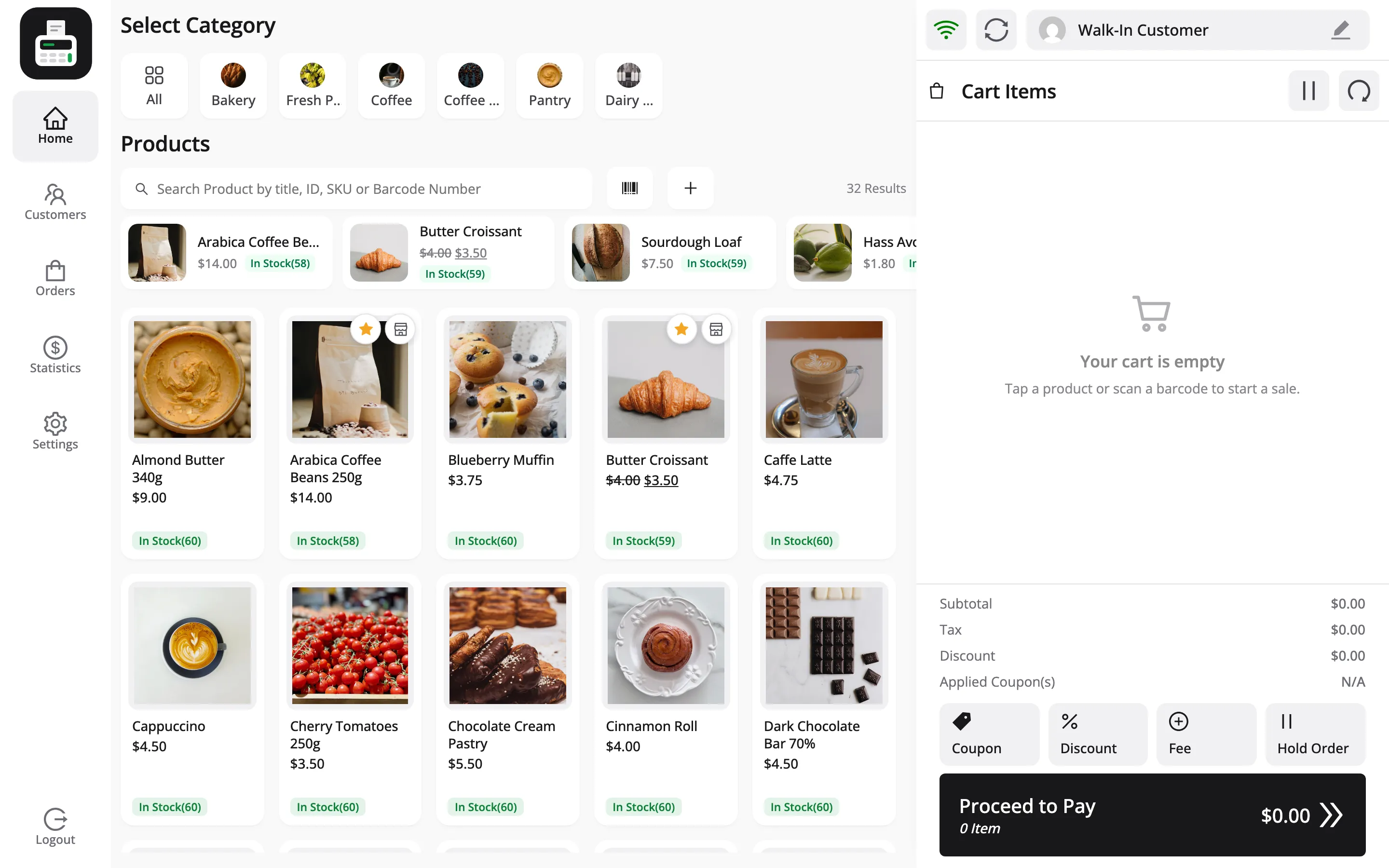
MultiPOS turns your FluentCart store into a POS. A cashier opens a URL on a laptop or tablet, scans a barcode, takes cash or card, and prints a receipt. The sale lands in FluentCart as a normal paid order.
There is no separate database and no nightly import. Your products, your stock, your customers, your coupons and your tax rates are the ones already in FluentCart.
Who it is for
Section titled “Who it is for”Any store that sells in person as well as online: a grocery counter, a cafe, a bakery, a showroom, a market stall or a pop-up.
The case for it is a single stock figure. Sell the last bag of coffee at the counter and the website stops offering it, because both read the same FluentCart product.
What you get
Section titled “What you get”- A POS in the browser: It runs at
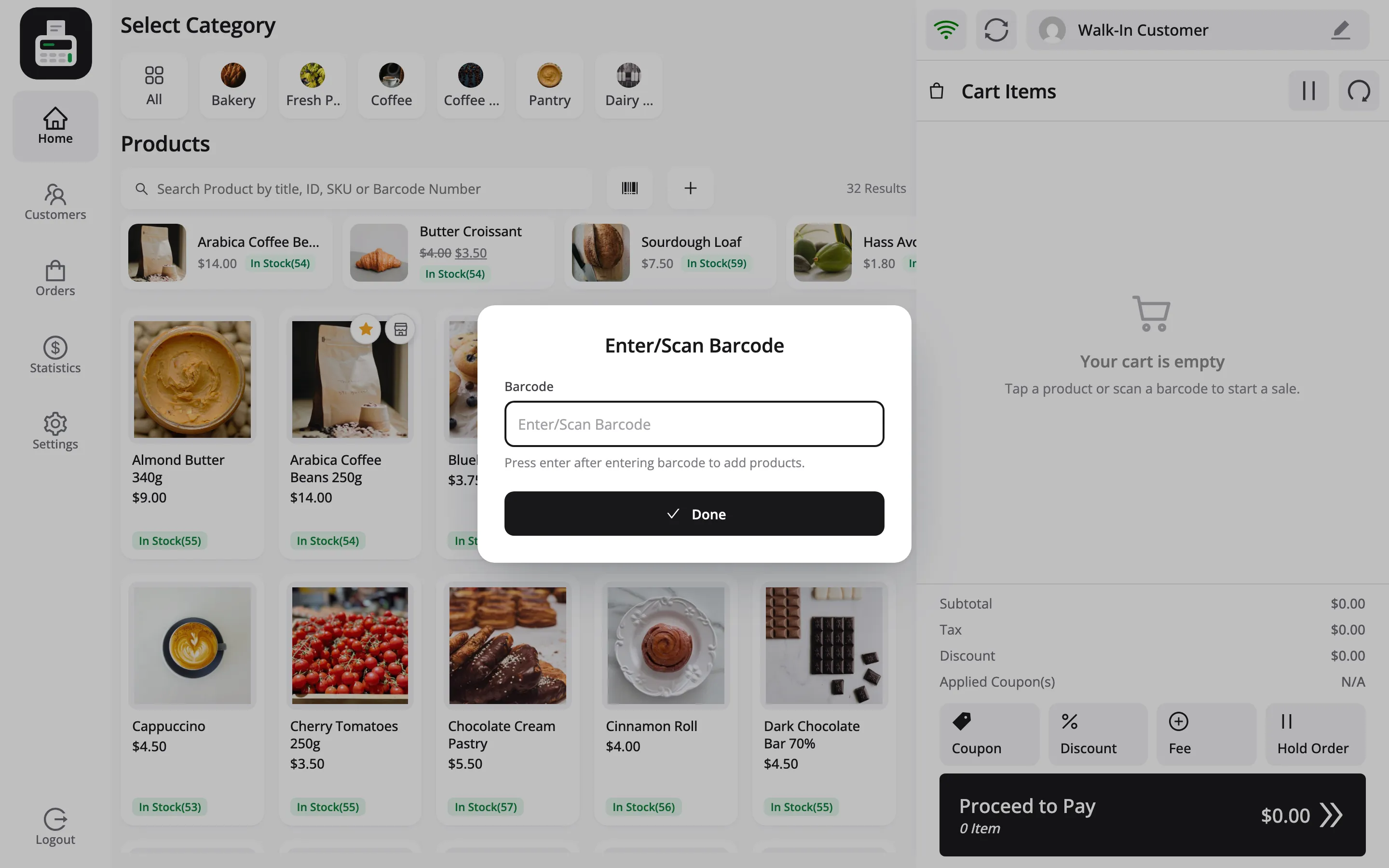
yoursite.com/poson a laptop, a tablet or a phone, with no install. - Barcode scanning: A USB scanner types into the search field like a keyboard. Scan, and the product drops into the cart.
- Receipts: Printed on a thermal roll at a size you set, from a template you edit.
- Cashier accounts: A POS Cashier role that can use the POS and nothing else in WordPress.
- Real FluentCart orders: Every POS sale shows in FluentCart → Orders with the outlet and the cashier who took it, and every sale, refund and cash movement writes a transaction you can check against the drawer.
Cash control at the counter
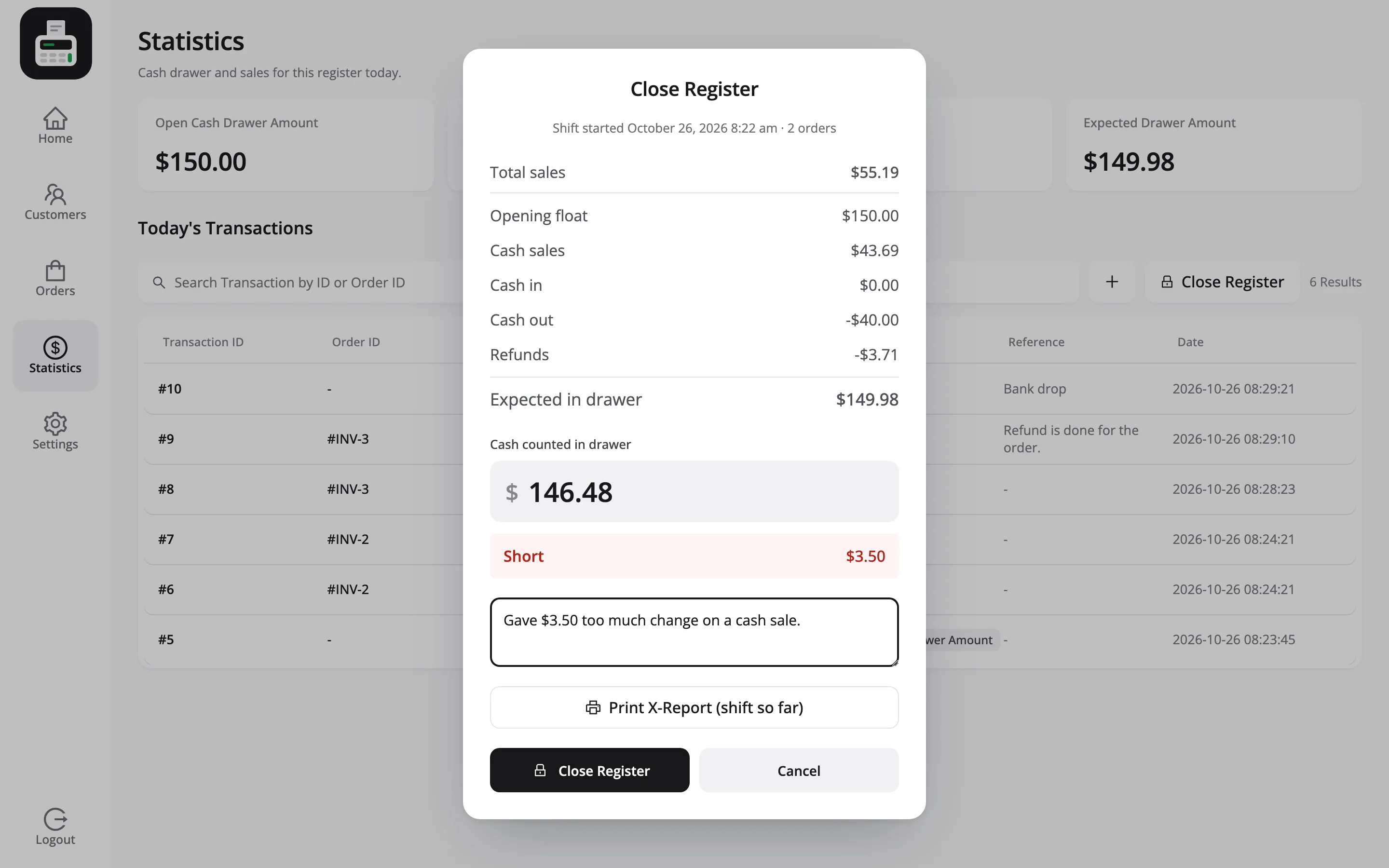
Section titled “Cash control at the counter”MultiPOS follows the money in the drawer through a whole shift. The cashier counts the opening amount, sales and refunds add up as they happen, and cash taken out for the bank is recorded with a reason.
At the end of the shift the cashier counts the drawer and closes the register. The POS shows at once whether it is balanced, over or short, prints a Z-report, and emails it to you.
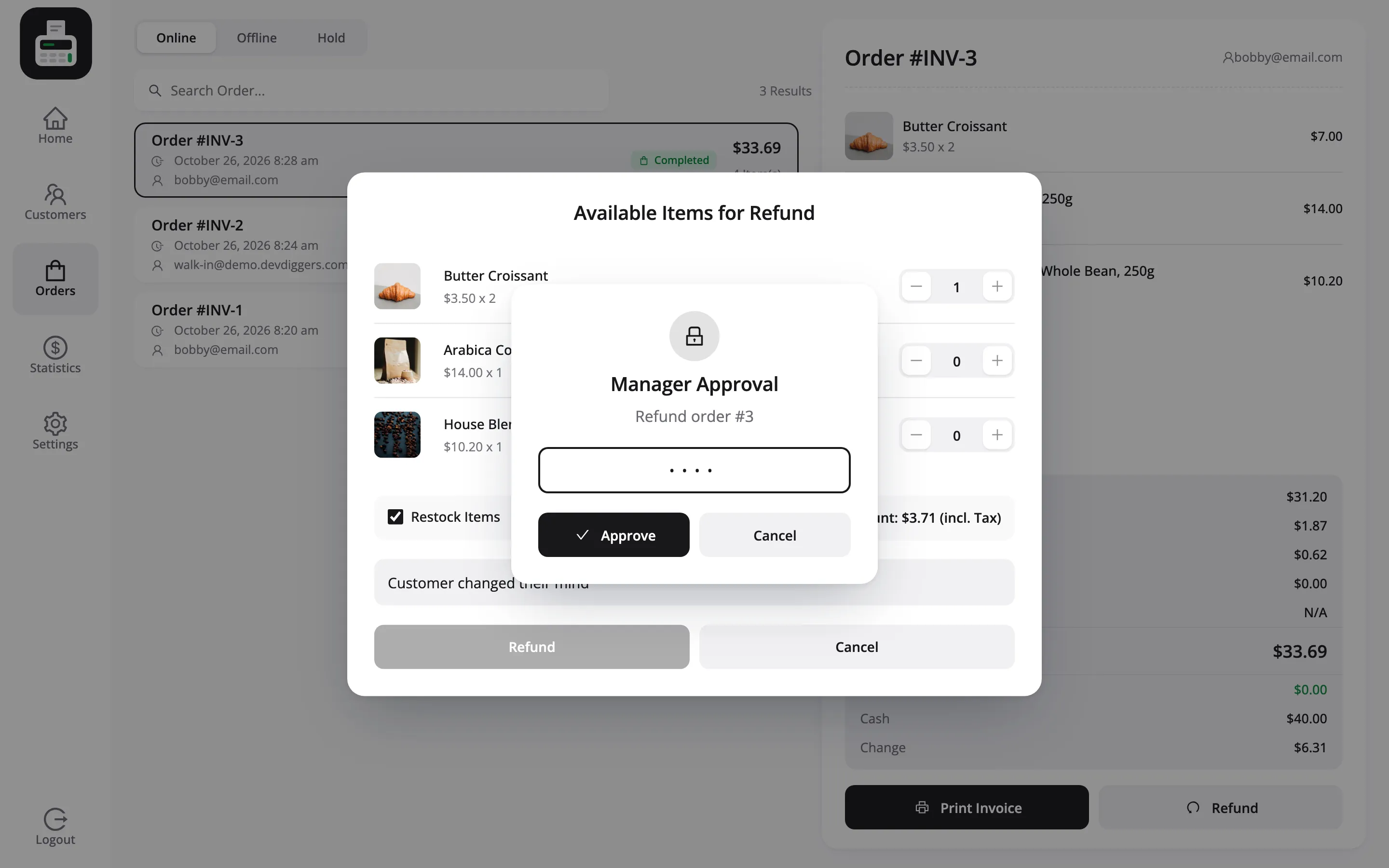
Cashiers can be limited, too. You choose what they may do alone, such as refunds or a discount above a limit you set, and a supervisor approves the rest by typing a PIN at the POS.
Works with FluentCart free
Section titled “Works with FluentCart free”MultiPOS needs FluentCart, not FluentCart Pro. With FluentCart Pro active, its features that act on a paid order, such as licenses, run for counter sales too.
Subscription and bundle products stay with the online checkout. The POS leaves them out by default.
Where it lives in WordPress
Section titled “Where it lives in WordPress”Everything sits under DevDiggers Plugins → MultiPOS for FluentCart. The menu across the top holds:
| Menu | What it is for |
|---|---|
| Dashboard | Sales, revenue and the payment split for a date range |
| Outlets | Each store or counter, its address, payment methods and stock mode |
| Cashiers | Who can open the POS, and what they may do there |
| Assign Barcodes | Give each product a barcode and print labels |
| Assign Stocks | Per-outlet stock levels for outlets with their own count |
| Orders | Every POS order, with the cashier who took it |
| Reports | Sales, cashiers, busiest hours, payments, products, coupons, taxes and the drawer |
| Transactions | Money in and out of the drawer |
| Registers | Every closed register and its Z-report |
| Invoices | The receipt templates |
| Configuration | The settings tabs |