

Registers
Registers lists every register a cashier has closed, with what the drawer should have held and what was counted. Open any row to see its Z-report.
Open it from DevDiggers Plugins → MultiPOS for FluentCart → Registers.
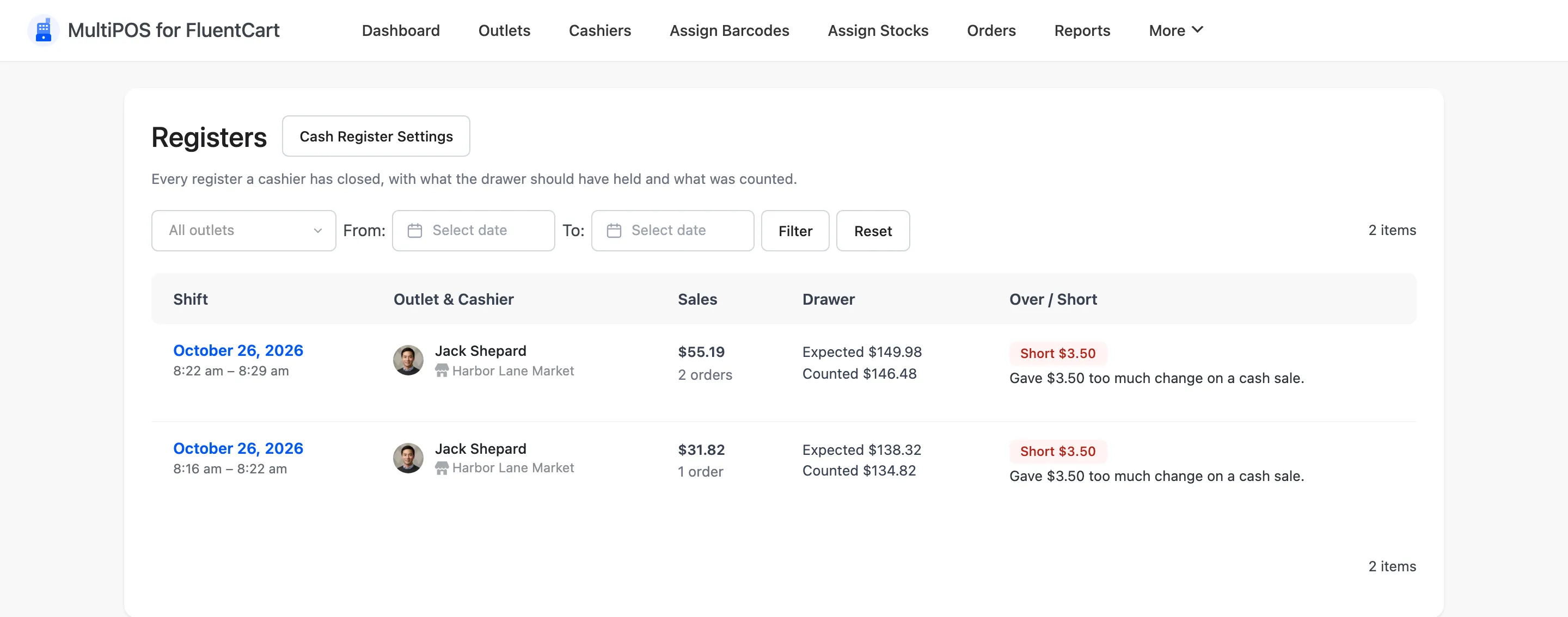
A register appears here only after a cashier closes it from the POS Statistics screen. Until then the screen says No closed registers yet.
The columns
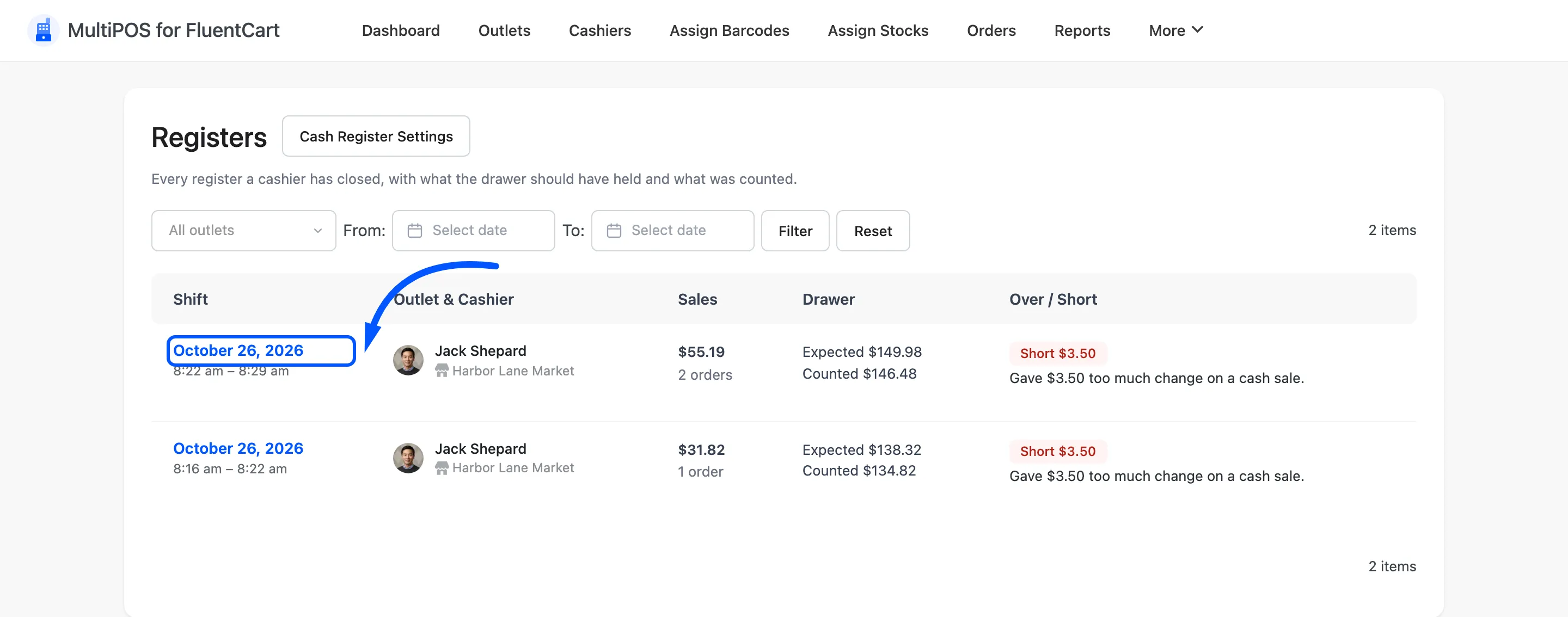
Section titled “The columns”- Shift: When the register was opened and closed. The date opens the Z-report, and so does View Z-report, which appears when you point at the row.
- Outlet & Cashier: The outlet, and the cashier with their photo, linked to their cashier screen.
- Sales: Total sales in the shift and the number of orders.
- Drawer: The expected amount and the amount counted.
- Over / Short: Balanced, Over or Short, with the amount and the cashier’s note.
Filters
Section titled “Filters”Pick an outlet from All outlets, set From and To dates, and press Filter. Reset clears them. The Cash Register Settings button beside the title opens the Cash Register tab.
The Z-report
Section titled “The Z-report”Click a register’s date, or point at the row and press View Z-report.
The report fills the left of the page, and the printed slip sits on the right.
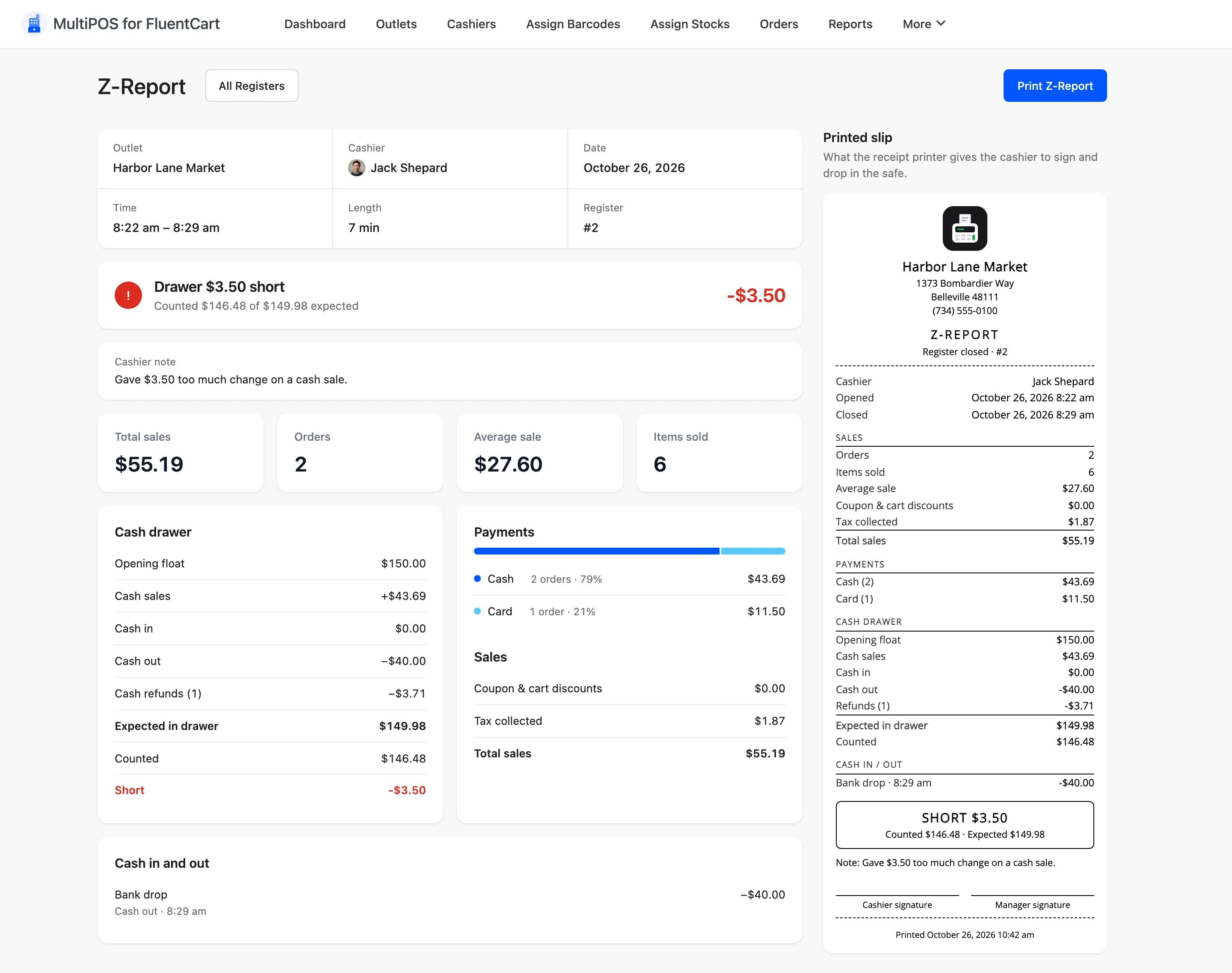
From top to bottom, the report shows:
- Shift details: The outlet, cashier, date, open and close times, shift length and register number.
- The drawer result: Drawer balanced, or how much it was over or short, with the counted and expected amounts and the difference in large type. Green is balanced, amber is over and red is short.
- Cashier note: The note the cashier typed at close, when there is one.
- Totals: Total sales, Orders, Average sale and Items sold for the shift.
- Cash drawer: The opening float, then cash sales, cash in, cash out and cash refunds, each signed. Below them sit Expected in drawer, Counted and the difference.
- Payments: One bar split by payment method, then each method with its orders, share and amount.
- Sales: Coupon and cart discounts, tax collected and total sales.
- Cash in and out: Every manual movement with its reason and time.
When a shift had card refunds, a line under the cash drawer says how much was refunded by card or other methods. It is not counted in the drawer, because it never came out of the cash.
The slip is what the receipt printer gives the cashier to sign and drop in the safe. It repeats the figures at receipt width, with the cashier’s note, a cashier and a manager signature line, and the time it was printed. Press Print Z-Report at the top right to print it, or All Registers to go back.