

Dashboard Overview
The dashboard is the first screen under DevDiggers Plugins → MultiPOS for FluentCart. It answers one question: how are the POS stores doing today, compared with yesterday.
Open the dashboard
Section titled “Open the dashboard”Go to DevDiggers Plugins → MultiPOS for FluentCart. Dashboard is the first tab.
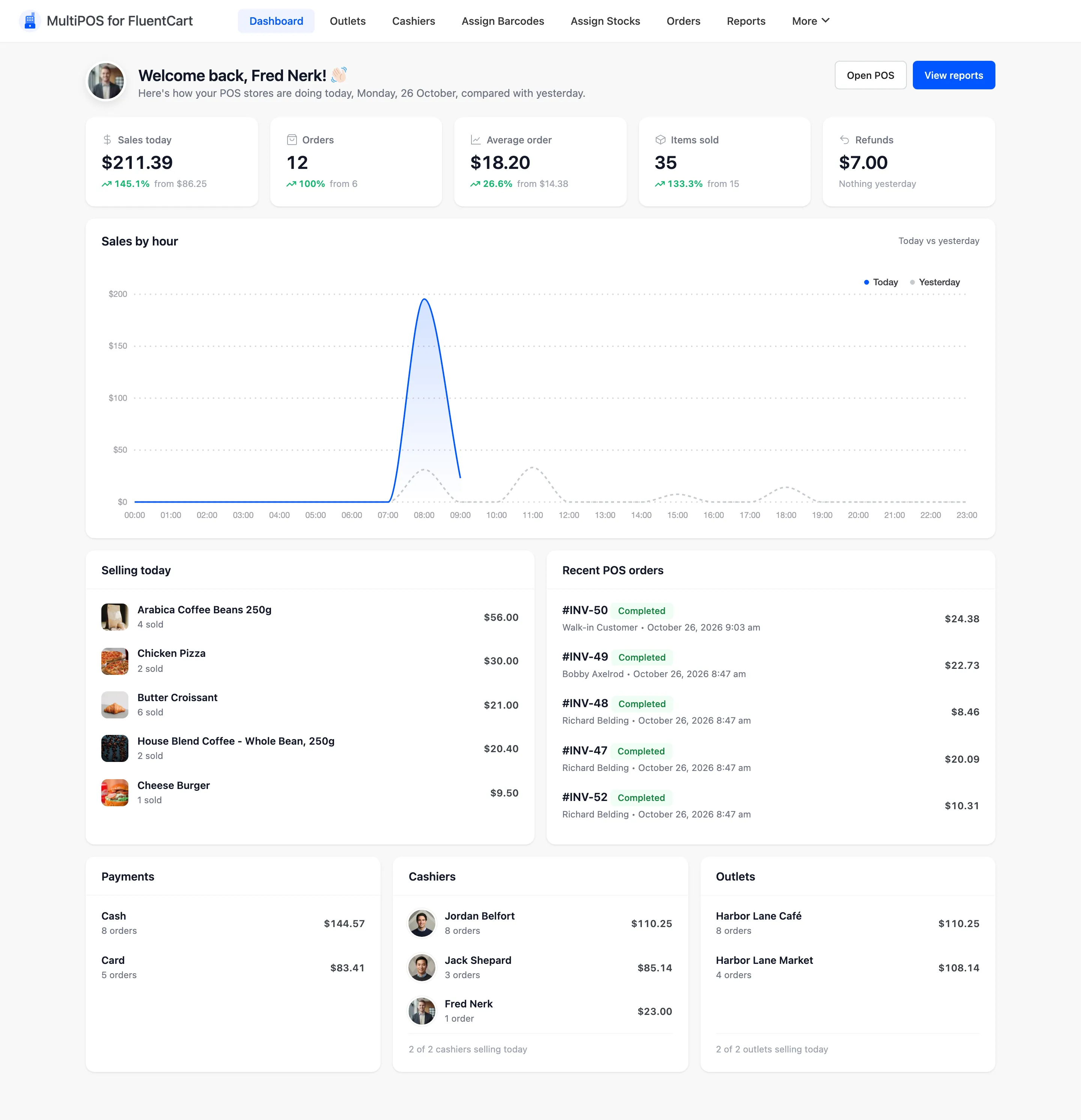
There is no date selector. Every figure is today’s, set against the same figure for yesterday. For any other period, use Reports.
Two buttons sit at the top right. Open POS opens the terminal in a new tab, and View reports opens the Reports screen.
The summary cards
Section titled “The summary cards”
- Sales today is what today’s POS orders were worth.
- Orders is how many POS orders were placed today. Website orders are not counted.
- Average order is sales divided by orders.
- Items sold is how many units went across the counter.
- Refunds is what was refunded today.
Each card shows the change against yesterday as a percentage, with yesterday’s figure beside it. With nothing yesterday, the card says Nothing yesterday instead of a percentage. On the Refunds card a rise counts as bad news.
Sales by hour
Section titled “Sales by hour”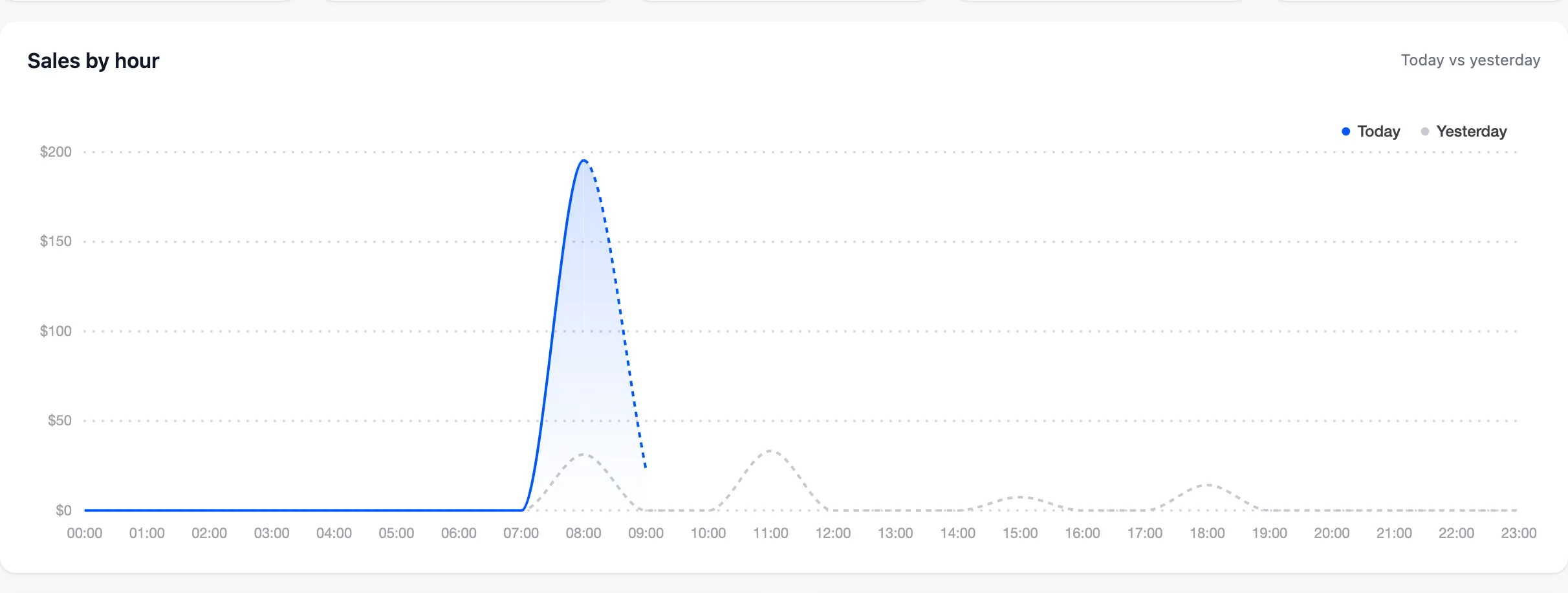
A chart of today’s sales hour by hour, with yesterday drawn beside it. It shows when the counter is busy and whether today is running ahead.
With no sales on either day it reads No sales today or yesterday. That is a quiet counter, not a fault.
The lists below the chart
Section titled “The lists below the chart”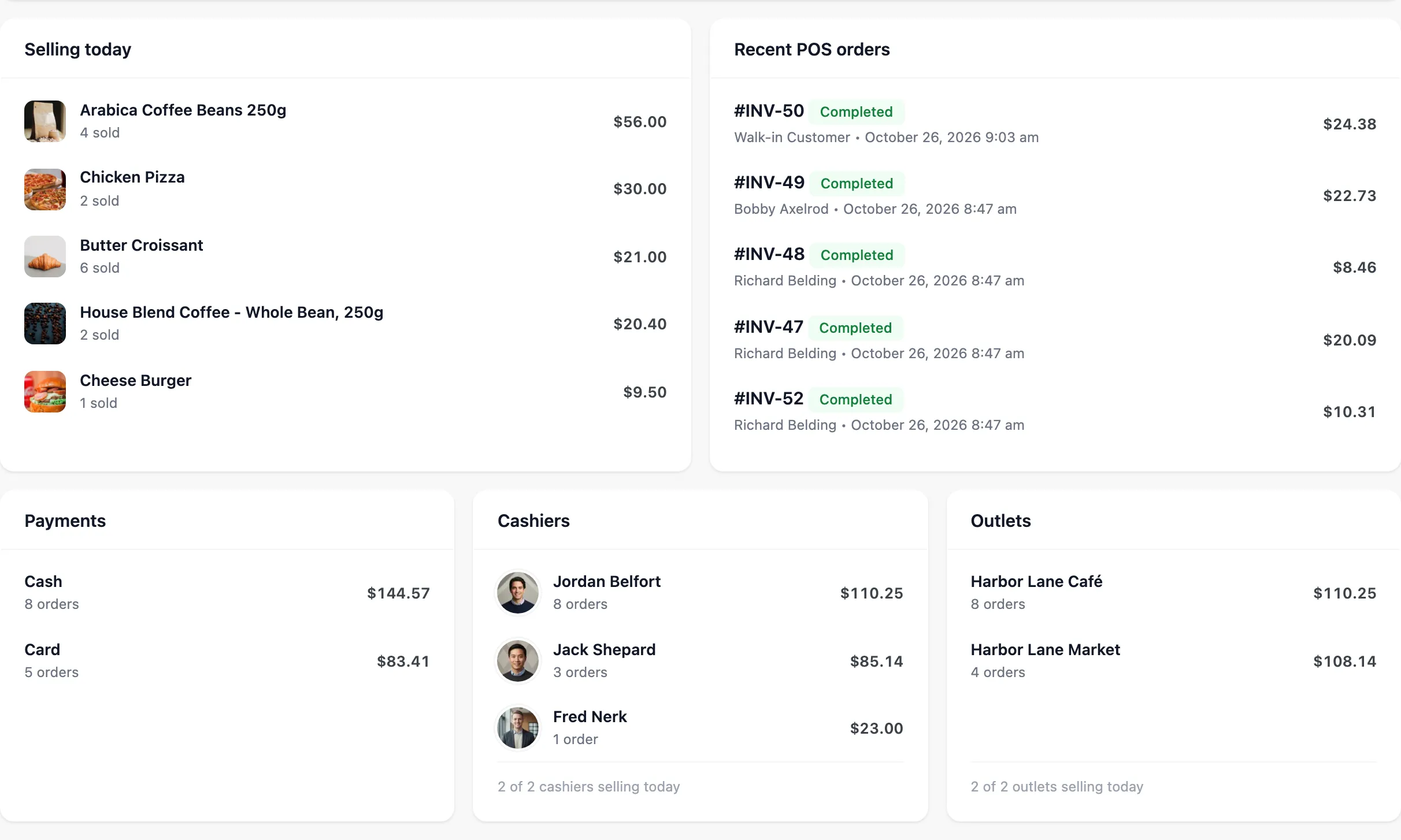
- Selling today: Today’s best sellers, each with the units sold and what they took.
- Recent POS orders: The latest POS orders with their number, status, customer, date and total. Click an order number to open it in FluentCart → Orders.
- Payments: Today’s money by payment method, with the number of orders for each. This is the panel to check before you decide whether a card terminal is earning its rental.
- Cashiers: Each cashier’s sales and orders today, with a line such as “1 of 2 cashiers selling today”.
- Outlets: Each outlet’s sales today.
When the dashboard is empty
Section titled “When the dashboard is empty”Three checks, in order.
- Whether anything was sold today. The dashboard shows today and yesterday only.
- Enable Point of Sale System under Configuration → General. With it off, nothing can be sold.
- Whether any sale has been taken at the POS at all. The dashboard counts POS orders only, so a store with website orders alone reads as zero here and is correct.
Where to go next
Section titled “Where to go next”- Orders for every POS order with its cashier.
- Transactions for money in and money out.
- Reports for any date range, with cashiers, busiest hours, products, coupons, taxes and the drawer.